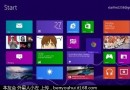
Internet Explorer 10 點擊無反應或隨即關閉,通常因登錄檔權限異常導致。
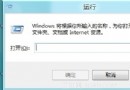
Regedit
HKEY_CURRENT_USER\Software\Microsoft\Internet Explorer
完成上述 5 步驟後,IE10 即可恢復正常啟動與瀏覽功能。
Win8 系統無法移除 IE11?教你用命令提示字元強制解除安裝
Windows 8 Metro 手寫輸入全新體驗:支援觸控與筆輸入,介面清爽現代
Windows 8 網路連線故障完整排除指南:從網路線到驅動程式逐步檢查
Windows 8 查看元件服務:控制台管理工具三步驟開啟
Windows 8.1 新增無線印表機錯誤 0x00000057 解決方案:刪除驅動程式重裝或手動建立連接埠
Windows 8 ARM 版十二大核心特性深度解析
Win 8.1 降級回 Win 8 兩種方法:電腦設定還原或一鍵 Ghost 重裝
Windows 8 應用程式商店不見了?兩招找回與修復