問題成因
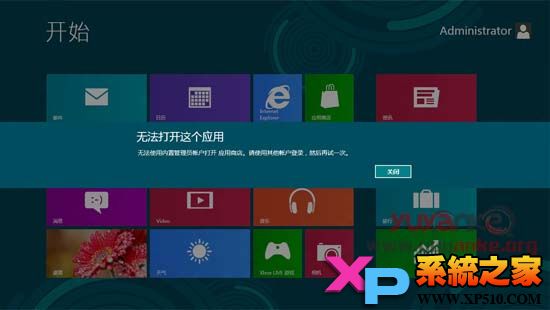
啟用內建 Administrator 帳戶並登入後,發現天氣、應用商店等 Metro 應用無法啟動。原因在於預設停用「內建管理員帳戶的管理員核准模式」。
解決步驟
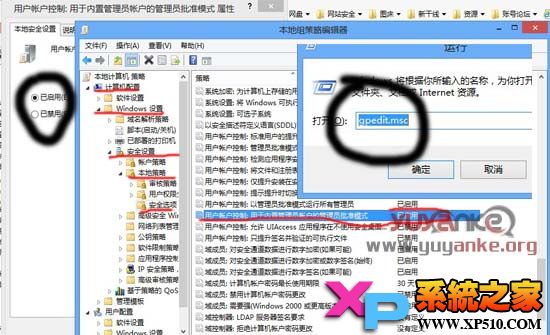
- 按 Win+R → 輸入
gpedit.msc 開啟「本機群組原則編輯器」。
- 依序展開:電腦設定 → Windows 設定 → 安全性設定 → 本機原則 → 安全性選項。
- 找到「**使用者帳戶控制:內建管理員帳戶的管理員核准模式**」,雙擊開啟。
- 選擇「**已啟用**」→ 確定。
- 重新開機或登出重登即可正常使用 Metro 應用與應用商店。
此設定讓內建管理員帳戶也受 UAC 保護機制管轄,進而獲得執行 Metro 應用所需的權限語彙。