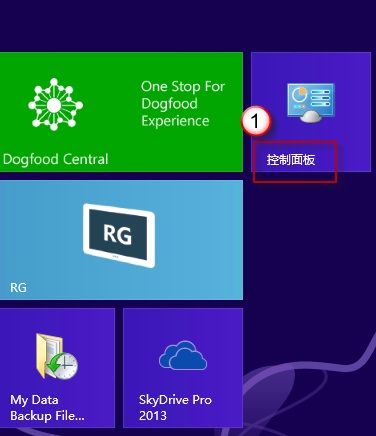
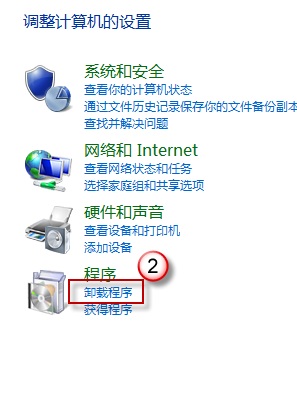
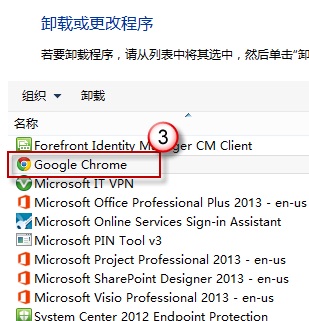
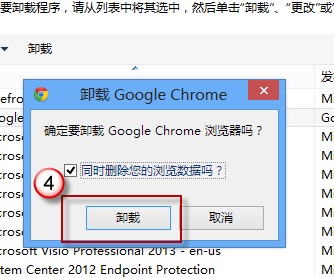
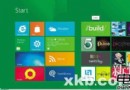
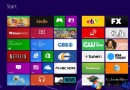
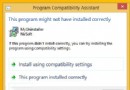
升級 Win 8 後 IE 點擊即閃退,常因其他瀏覽器衝突。解法:
若裝的是其他非 IE 瀏覽器,同理解除安裝該瀏覽器後重裝即可。衝突一除,IE 即恢復正常!
Windows 8 將支援臉部辨識登錄,整合 Kinect 技術實現多用戶自動登入
Windows 限制本機磁碟機存取權限:群組原則隱藏 C 槽防誤操作與資料外洩
Win8 開機加速技巧:善用休眠與 msconfig 優化啟動項
Windows 8 通知管理與內建必應財經應用完整教學
Win8 郵件應用新增帳號與推播體驗快速上手
批次檔刪除登錄表鍵值完整語法與實戰範例
Win8.1 軟體不相容怎麼辦?相容模式 + 更新版本 + 關閉防毒三步驟排查
Win8 安裝與使用 Bitcoin Miner 挖礦客戶端教學:應用商店免費下載