Windows 8 設定帳號密碼流程與 Win7/XP 相似,圖文並茂讓初學者一目瞭然。
Win8 開啟計算機:開始畫面「所有應用程式」→ Windows 配件 → 計算機
Win8 藍牙裝置顯示驚嘆號解決方案
Win8 任務列擴展技巧:建立工具列分類、Bins 整合圖示群組
Windows 8 關機五大法:原生、熱鍵、登出、Win+I、自建捷徑一鍵關機
Windows 8 圖示位置被擠亂?使用 Win8 優化大師「優化導覽」還原資料夾圖示順序
Windows 8.1 升級 Update RTM (KB2919355) 完整圖文教學:先裝 5 個 Rollup、再裝 KB2919442、最後裝 KB2919355
Win8 開啟命令提示字元 (CMD) 兩大快速法
Windows 8 關機與重新開機十大方法:Charms 列、快捷方式磁貼、熱鍵、命令提示字元、右鍵選單擴充等完整匯總
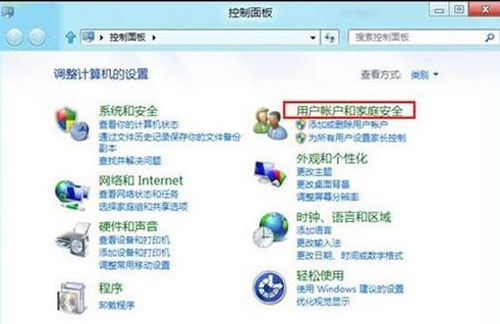 控制台 - 使用者帳戶與家庭安全性
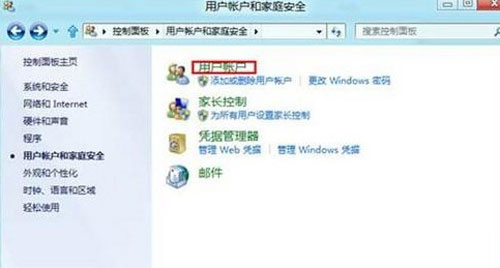 使用者帳戶
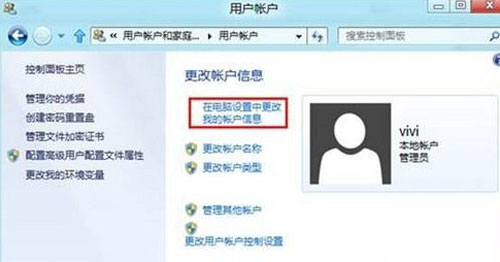 在電腦設定中變更我的帳戶資訊
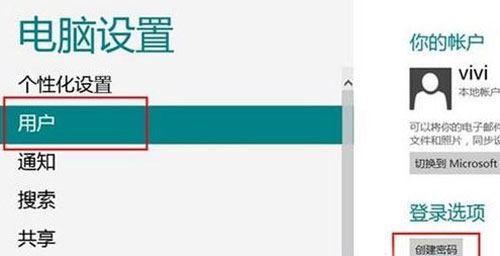 建立密碼
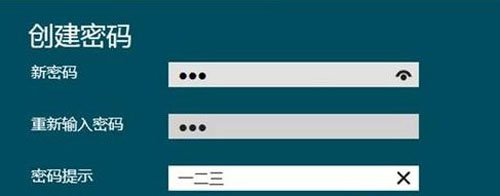 輸入新密碼與確認
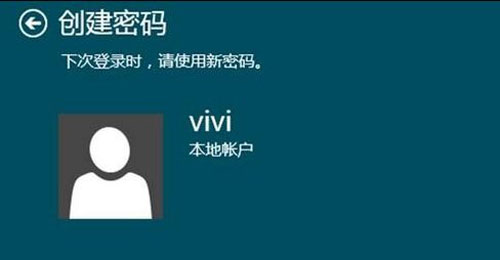 密碼建立完成