Windows XP Windows 7 Windows 2003 Windows Vista Windows 綜合教學 Linux 系統教學
Windows 10 Windows 8 Windows 2008 Windows NT Windows Server 電腦軟體教學

Windows 8.1 Update 開機失敗修復:安裝媒體 + sfc /scannow 系統檔案修復實戰

編輯:Windows 8 系統介紹

Windows 8.1 Update 更新後無法開機/開機失敗,若無還原點/系統映像備份,可用安裝媒體 + sfc /scannow 修復:

  1. 準備 Windows 8.1 安裝媒體:下載官方 ISO → 用魔方電腦大師驗證 SHA1/MD5/CRC → 製作啟動 USB (魔方 USB 啟動) 或燒錄 DVD (魔方燒錄)。
  2. 插入安裝媒體 → 開機進入 BIOS 設定優先從 USB/DVD 開機 → 按任意鍵啟動安裝程式。
  3. 選擇語言/鍵盤 → 「修復您的電腦」 → 「疑難排解」 → 「進階選項」 → 「命令提示字元」。
  4. 執行 sfc /scannow /offbootdir=C:\ /offwindir=C:\Windows (離線掃描修復,C: 為系統盤代號,視實際調整)。
  5. 掃描完成後重新開機測試。

sfc /scannow 掃描所有受保護系統檔案完整性,以正確版本取代損毀/異常檔案,解決更新導致的核心檔案遺失/損壞。若仍無法開機,嘗試 DISM /Image:C:\ /Cleanup-Image /RestoreHealth (需安裝媒體作為來源) 或重新安裝。
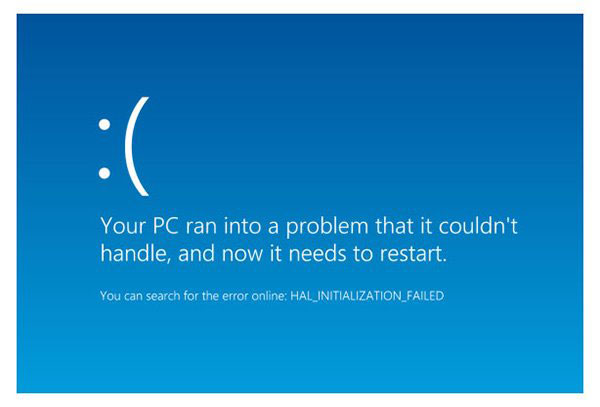
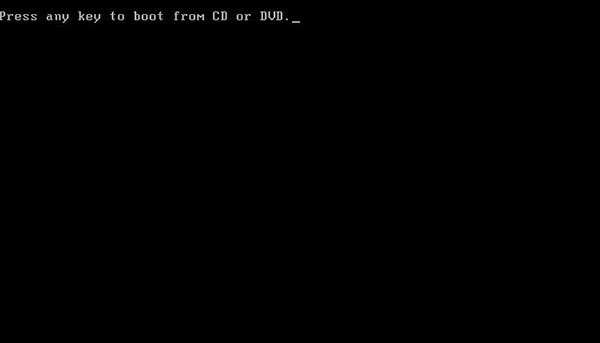
sfc scannow 執行畫面 安裝媒體啟動修復選單

Copyright © Windows教程網 All Rights Reserved