嫌 Win8 關機鈕藏太深?自製右鍵版關機選單,比桌面捷徑更不易誤點。實作步驟:
shutdown.vbs 放至 C:\Windows:
dim objshell
set objshell =CreateObject("shell.application")
objshell.ShutdownWindows
Set objShell = nothing
reg.reg:
Windows Registry Editor Version 5.00
[HKEY_CLASSES_ROOT\Directory\Background\shell\SuperHidden]
@="關閉 Windows 8"
[HKEY_CLASSES_ROOT\Directory\Background\shell\SuperHidden\Command]
@="WScript.exe C:\Windows\shutdown.vbs"
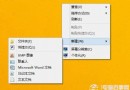
reg.reg 合併登錄完成後,資源管理器任意位置右鍵即見「關閉 Windows 8」,點擊直接呼叫系統關機面板(含切換使用者、登出、睡眠、關機、重啟),比 Modern 版多兩個選項。文中附腳本、登錄碼、效果截圖。