從 Windows Store 安裝應用程式時出現錯誤代碼 0x80073CF9,「此應用程式無法安裝,請再試一次」。這通常是因為清理工具誤刪 C:\Windows\auinstallagent 資料夾導致,手動重建即可修復。
C:\Windows。
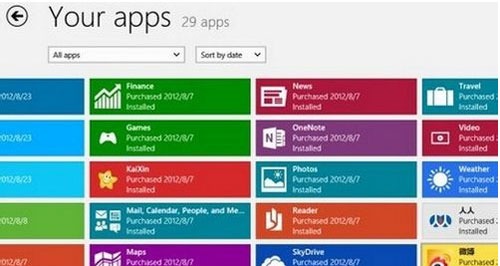
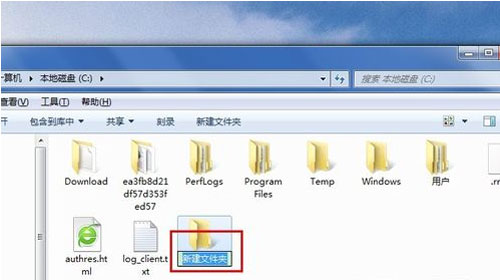
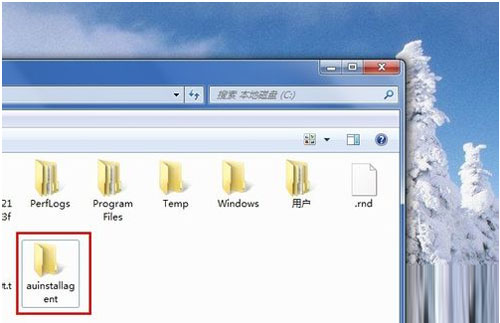
auinstallagent 是 Windows 應用程式安裝服務使用的暫存資料夾。wsreset.exe 重置 Store。sfc /scannow。wsreset.exe(Win+R 輸入)清除 Store 快取。重建資料夾屬低風險操作,建議優先嘗試。若無效,再嘗試 wsreset.exe 或重新註冊 Store 應用程式(PowerShell 執行 Add-AppxPackage -DisableDevelopmentMode -Register $Env:SystemRoot\WinStore\AppxManifest.xml)。
Win8 自行安裝主題檔案位置在哪?三步直達 Themes 資料夾
Win8 修改滑鼠雙擊速度:Charms 搜尋滑鼠設定靈敏度調整
微軟 Surface Pro 詳細規格與定位:Core i5、1080p、Win8 Pro、5小時續航
Win8 提示「無法開啟這個應用程式」?重裝、綁定 Microsoft 帳號、檢查電腦名稱三步驟排查
Win8 版 UC 瀏覽器體驗評測:Metro 模式下的影音與隱私利器
微軟展示 Windows 8 新功能:檔案傳輸可暫停/續傳、即時速率圖表、智慧重複檔案處理