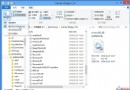
Windows.old 舊系統備份 (數 GB)。net stop WuAuServ RD /s %windir%\SoftwareDistribution net start WuAuServ
以系統管理員身分執行 CMD 依序輸入,清空更新下載暫存。
右鍵 C 槽 → 「內容」 → 「磁碟清理」 → 「清理系統檔案」 → 勾選「以前的 Windows 安裝」 (含 Windows.old)、「暫存檔案」、「回收站」等 → 確定刪除。
「進階系統設定」→「效能」→「設定」→「進階」→「虛擬記憶體」→「變更」→ 取消「自動管理」→ 選擇較大空間磁碟 (D/E) → 「自訂大小」建議 4096 MB → 設定 → 重啟生效。
「系統保護」→「設定」→ 滑桿調整「最大使用量」建議 5-10% 或固定 10-20 GB,刪除舊還原點釋放空間。
Windows 8.1 Update 開機失敗修復:安裝媒體 + sfc /scannow 系統檔案修復實戰
Win8 正式版預設關閉內建防毒,OEM 廠商利益獲微軟尊重
Windows 8 安裝程式全新體驗:問題導向修復、多來源安裝、保留設定、線上購買下載
讓 Windows 8 開機直接進入傳統桌面:建立 ShowDesktop.scf + 工作排程器登入觸發
Windows 8 Beta 可能 2011 年 9 月推出:Mary-Jo Foley 曝光官方路線圖
Windows 8.1 完整啟用指南:網路啟用與電話啟用雙軌詳解