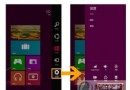
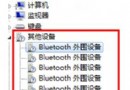
Win8 預設:有索引位置搜尋檔名+內容,無索引位置 (如 USB 隨身碟) 僅搜尋檔名,導致行動儲存裝置內容搜尋失效。
之後搜尋框輸入關鍵字,無論該位置是否有索引,皆會同時比對檔名與檔案內容,徹底解決 USB/行動硬碟內容搜尋失效問題。
Windows 8 完整建立系統映像備份教學:支援硬碟、光碟、網路三種儲存媒體
Windows 8.1 Update 新功能全解析:開始畫面電源/搜尋鍵、任務列整合現代應用、滑鼠鍵盤操作優化
Windows 8 全新 Metro 風格啟動管理器:簡潔雙系統選單、體現設計語言一致性
Win8 關閉家庭群組降低硬碟讀寫 + 清理 Windows.old 釋放 C 槽空間
Windows 8 版本升級演示:Anytime Upgrade 讓專業版升級專業增強版輕鬆完成
Windows 8 關機/重開機十大招:從 Charms 到命令列全掌握