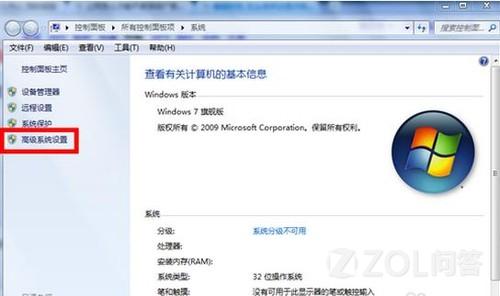
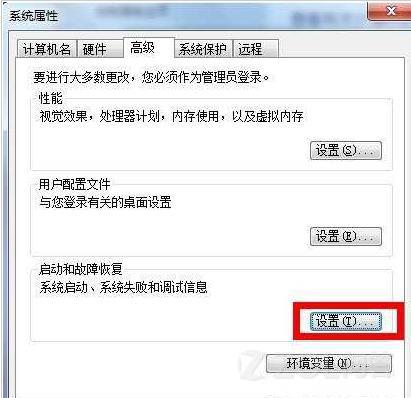
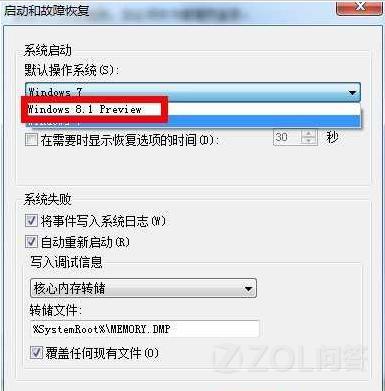
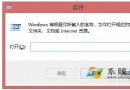
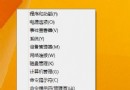
在多系統共存電腦上,可透過系統屬性將 Windows 8.1 設為預設開機選項。
重新開機後系統將直接啟動 Windows 8.1,無需在開機選單等待選擇。
Windows 8 截圖編號歸零技巧:修改登錄 ScreenshotIndex 重置計數
DOS 指令建立「隱形資料夾」:md baomi.. 讓重要檔案隱身又好用
Win8 以系統管理員身分執行 CMD 三種快速方法
Win8 管理員帳號被停用怎麼辦?安全模式下啟用完整教學
Windows 8 15 大實用技巧:關機、多工、搜尋、Charms、工作列完全掌握
Win8.1 五筆輸入法無法在網頁輸入?關閉 IE 保護模式即可解決
Windows 8.1 螢幕亮度無法調整?完整排除與解決方案
Win 8.1 Update 禁用 OneDrive 同步服務:應用程式設定與群組原則雙重封鎖