Windows 8.1 引入「安靜時段」功能,可在指定時段封鎖所有 App 通知,避免干擾工作或休息。操作路徑如下:
設定步驟
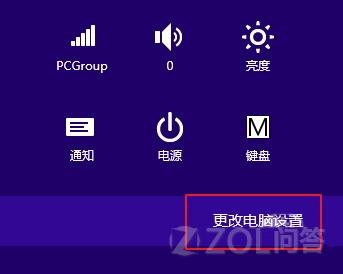
- 按 Win+C 呼叫 Charms 列,或 Win+I 直接開啟設定 → 點選「變更電腦設定」。
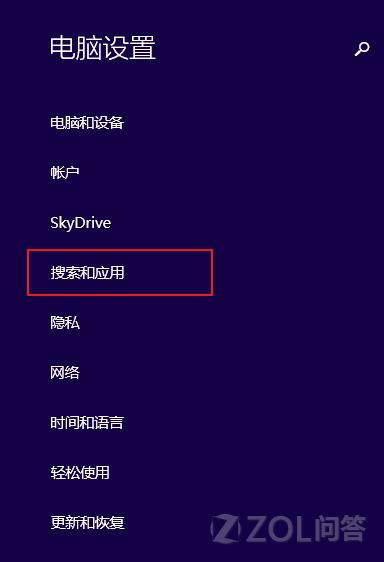
- 進入「搜尋和應用程式」 → 「通知」 → 切換到「安靜時段」。
- 開啟「安靜時段」開關,設定開始/結束時間(如 22:00–07:00)。
- 同頁面下方可勾選「允許特定應用程式在安靜時段發送通知」,加入例外清單(如鬧鐘、重要訊息 App)。
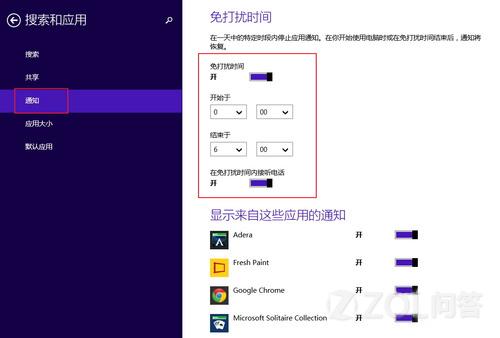
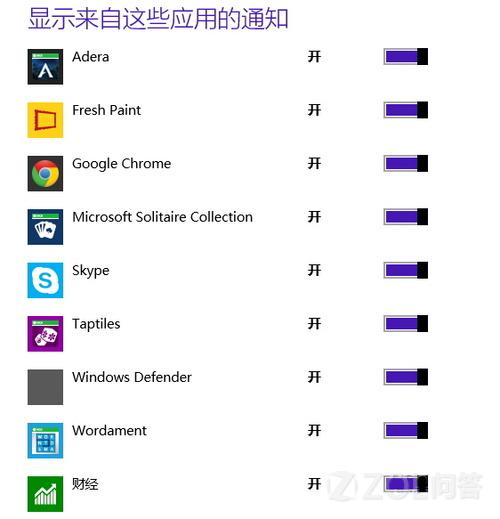
設定完成後,系統將在指定時段自動靜音所有通知,僅允許例外應用突破限制。