Windows XP Windows 7 Windows 2003 Windows Vista Windows 綜合教學 Linux 系統教學
Windows 10 Windows 8 Windows 2008 Windows NT Windows Server 電腦軟體教學

Win 8.1 Update 五大新特色:電源鈕顯示、任務列整合 Modern 應用、標題列回歸、桌面開啟媒體檔

編輯:Windows 8 系統介紹

Windows 8.1 Update 針對滑鼠鍵盤用戶大幅改善操作體驗,以下為五大關鍵變革:

1. 電源鈕不再隱藏

開始畫面右上角固定顯示「電源」鈕,一鍵關機/重開機/睡眠,免去滑動或多層選單操作。
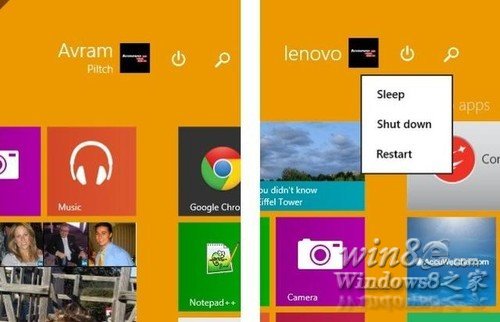
電源鈕

2. 任務列顯示 Windows Store 應用

Modern 應用圖示現可顯示於傳統任務列,並可「釘選」常用 Modern 應用,桌面與 Modern 應用切換無縫銜接。
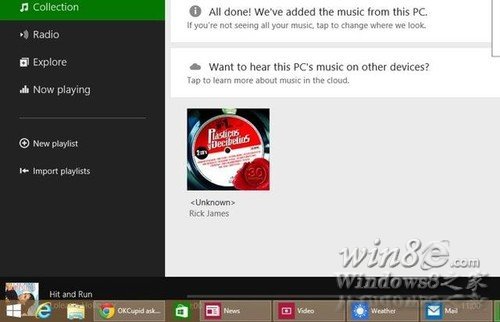
任務列 Modern 應用

3. Modern 介面也有任務列

滑鼠移至螢幕底部即可在 Modern 介面呼叫任務列,快速切換應用。惟無「永遠顯示」選項,會自動隱藏。
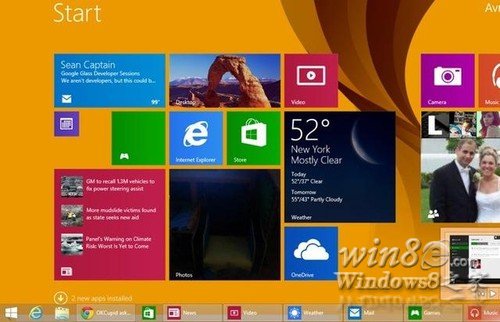
Modern 任務列

4. Windows Store 應用擁有標題列

所有 Modern 應用標題列含「關閉」與「最小化」鈕,滑鼠單擊即可關閉/最小化,免用拖曳到底部或 Alt+F4。
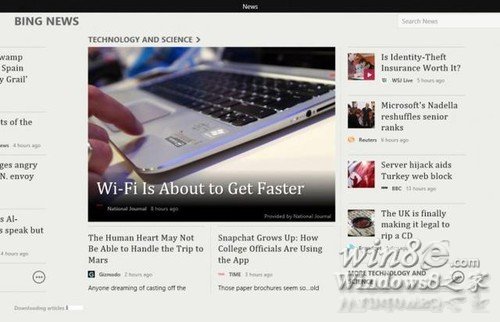
Modern 應用標題列

5. 預設以桌面程式開啟媒體檔案

雙擊圖片開啟「Windows 相片檢視器」,音樂/影片開啟「Windows Media Player」,不再強制全螢幕 Modern 應用。
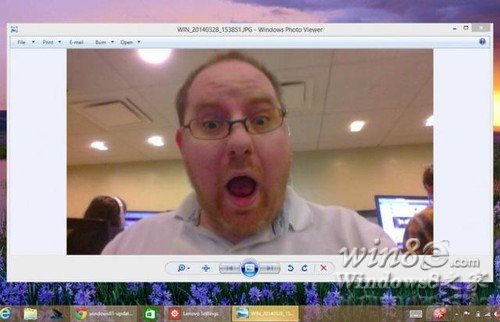
桌面開啟媒體

這五項更新讓 Windows 8.1 在非觸控裝置上體驗大幅提升,回應用戶長久呼聲。

Copyright © Windows教程網 All Rights Reserved