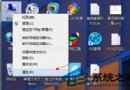
螢幕關閉或螢幕保護程式啟動後喚醒,預設會要求重新登入。家用電腦可取消此設定,直接回桌面省時。
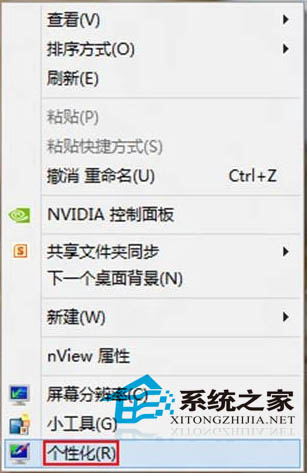

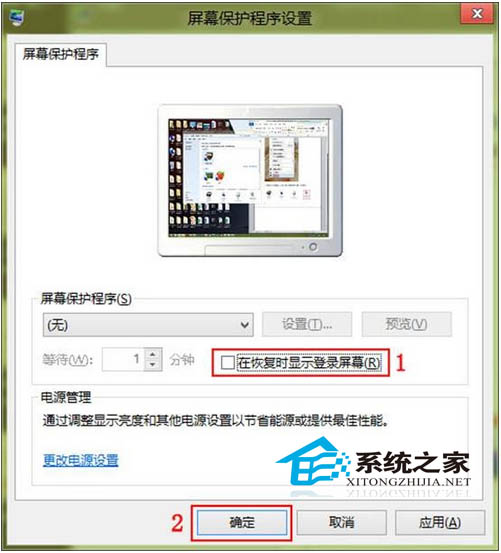
完成後喚醒螢幕直接進桌面,提升家用電腦便利性。
微軟 Windows 8 八大新功能預測:雲端運算、可攜工作區、Hybrid Boot、應用商店、IE10、內建 PDF、History Vault、整合 Skype
Windows 8 關閉休眠功能:Win+X 電源選項兩步驟設定「永不」睡眠
Windows 8.1 無法睡眠/喚醒失敗解決法:關閉混合睡眠
Windows 8 叫出隱藏「開始功能表」:滑鼠右鍵左下角或 Win+X 開啟高階使用者選單
Windows 8.1 螢幕截圖自動儲存技巧:Win+PrtSc 一鍵完成
Win8 安裝 .NET 3.5 卡住/下載慢?用 DISM 離線部署秒解決
Windows 8 Windows Update 大改版:月更才重啟、無倒數視窗、重啟提示移至登入畫面、三天未理自動重啟、全螢幕/遊戲/影片自動延後