Windows XP Windows 7 Windows 2003 Windows Vista Windows 綜合教學 Linux 系統教學
Windows 10 Windows 8 Windows 2008 Windows NT Windows Server 電腦軟體教學

XP 升 Win8 磁碟分區重命名失效?註冊表 DriveIcons 強制指定磁碟機標籤

編輯:Windows 8 系統介紹

XP 時代用 Fdisk/Format 分區,升級 Win8 後磁碟機標籤無法修改 (右鍵重新命名不生效)。透過註冊表 DriveIcons\DefaultLabel 強制指定標籤即可破解。

註冊表修改法 (以 C 槽命名為 ZOLSoft 為例)

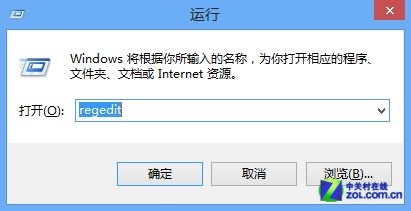
  1. Win+R regedit。
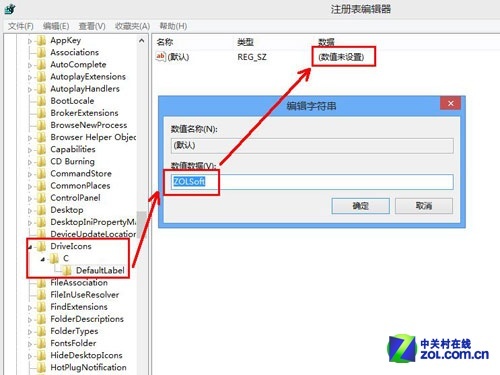
  2. 定位/建立路徑:HKEY_LOCAL_MACHINE\SOFTWARE\Microsoft\Windows\CurrentVersion\Explorer\DriveIcons。
  3. 依序新增鍵值:DriveIcons → C → DefaultLabel。
  4. 修改 DefaultLabel 預設字串值為 ZOLSoft (或任意名稱)。
  5. 重開機或重新啟動 explorer.exe 生效。

原理:Win8 讀取註冊表標籤優先於檔案系統標籤,繞過 XP 遺留的分區標記限制。
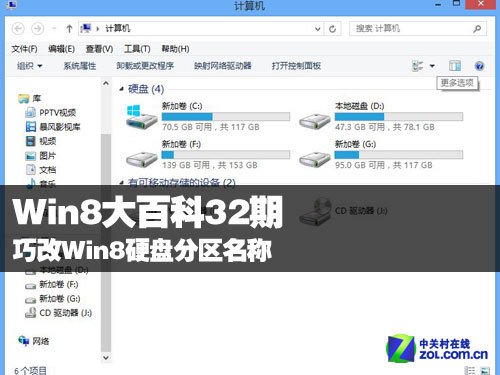
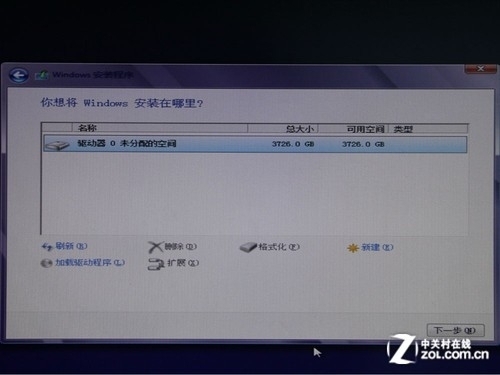
Win8 磁碟分區示意

新磁碟分區畫面

快速開啟 regedit

DriveIcons 註冊表路徑

Copyright © Windows教程網 All Rights Reserved