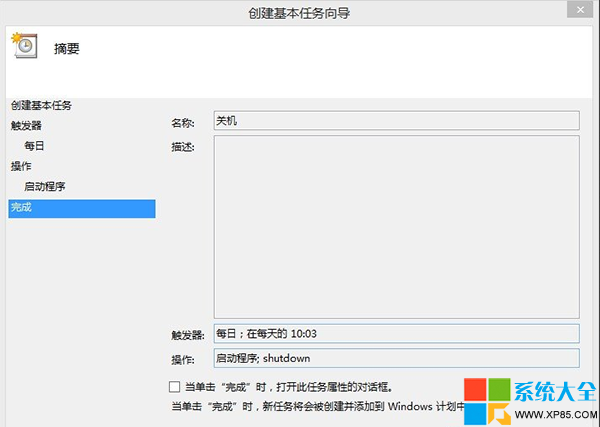
shutdown
-s -t 秒數
-s -t 60
-f
Windows 8 設定桌面背景自動輪播喜愛圖片,打造動態桌面
Win8.1 內建「照片」App 深度評測:後製編輯功能超越傳統桌面檢視器
Win8 雲端整合:OneDrive 讓檔案、照片、設定跨裝置無縫同步
Windows 8.1 新增鍵盤快速鍵完整表:Win+X、Win+S、Win+K 等提升操作效率
解決 Windows 8 Metro 介面控制台圖示消失問題
揭秘 Windows 8 應用程式商店:試用版、屬性定義、用戶回饋互動機制
Win 8.1 設定 DNS 完整圖文教學:解決應用商店無法開啟、更新失敗問題
Win8 設定數字鎖定/大小寫鎖定指示器顯示:螢幕顯示選項卡調整