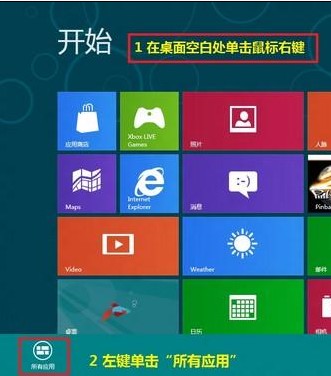
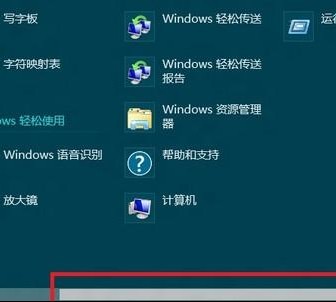
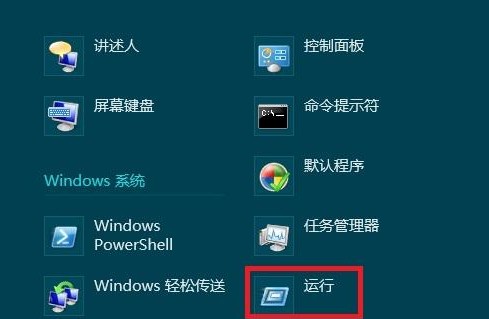
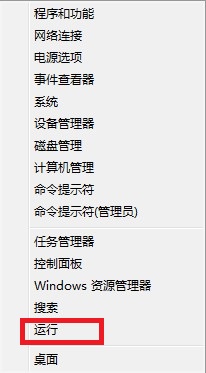
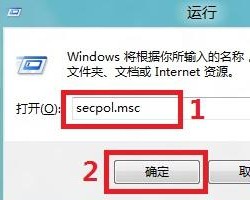
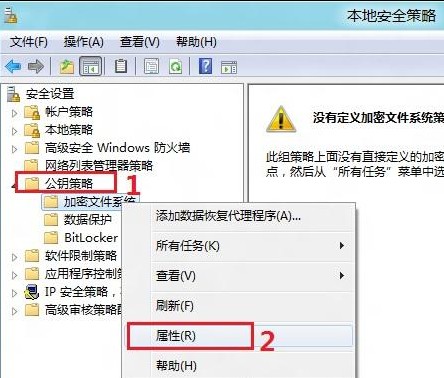
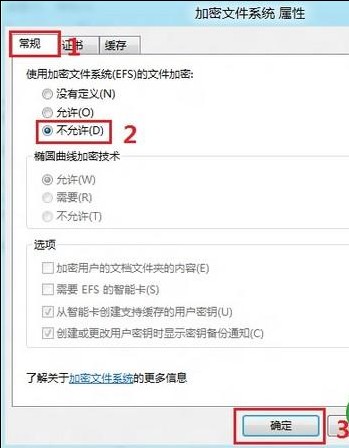
EFS (Encrypting File System) 可加密 NTFS 磁碟上的檔案。若需全域停用 (如環境不支援、效能考量),操作如下:
secpol.msc
重要備註:停用前務必備份現有 EFS 憑證與私鑰,並解密所有已加密檔案,否則將永久無法存取加密資料。此設定需重新開機生效。
Win8 桌面圖示出現小黃鎖?修改資料夾權限移除「僅限管理員」限制
Windows 8 外接螢幕設定全攻略:複製、擴展、單顯示模式切換
Win8 DIY 自訂右鍵選單
Win8.1 相容性測試:主流社交軟體與輸入法全數通過,唯 Yahoo! Messenger 不支援
Windows 8.1 應用商店效能優化修補程式 KB2913270
Windows 8 查看與修改電腦名稱、網域與工作群組:Win+X 快速入口圖解
Windows 8.1 應用程式市集閃退解決方案
Win8 共用印表機「拒絕存取」?新增 Everyone 群組並給予列印權限