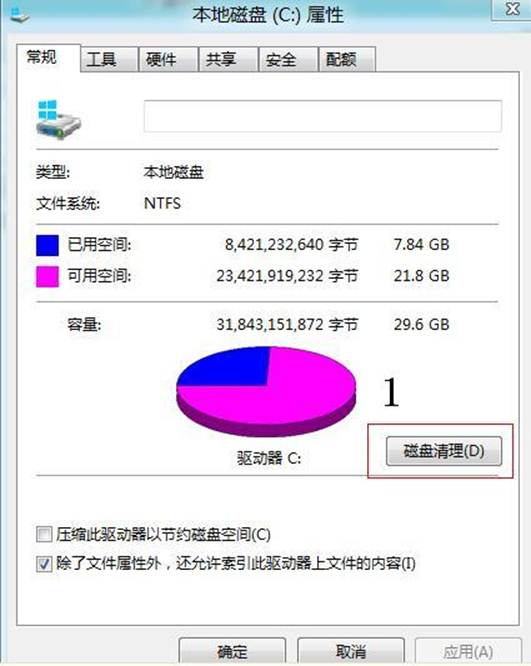
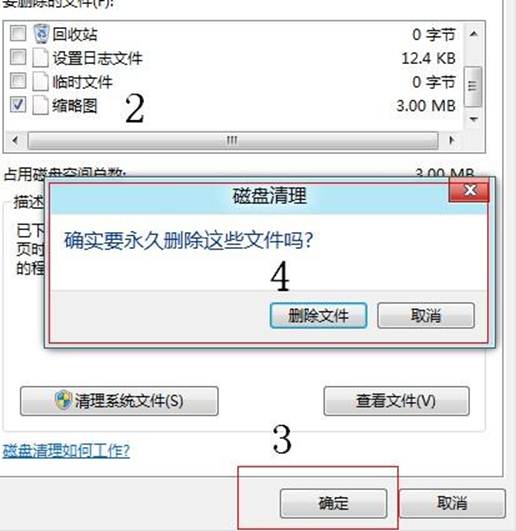
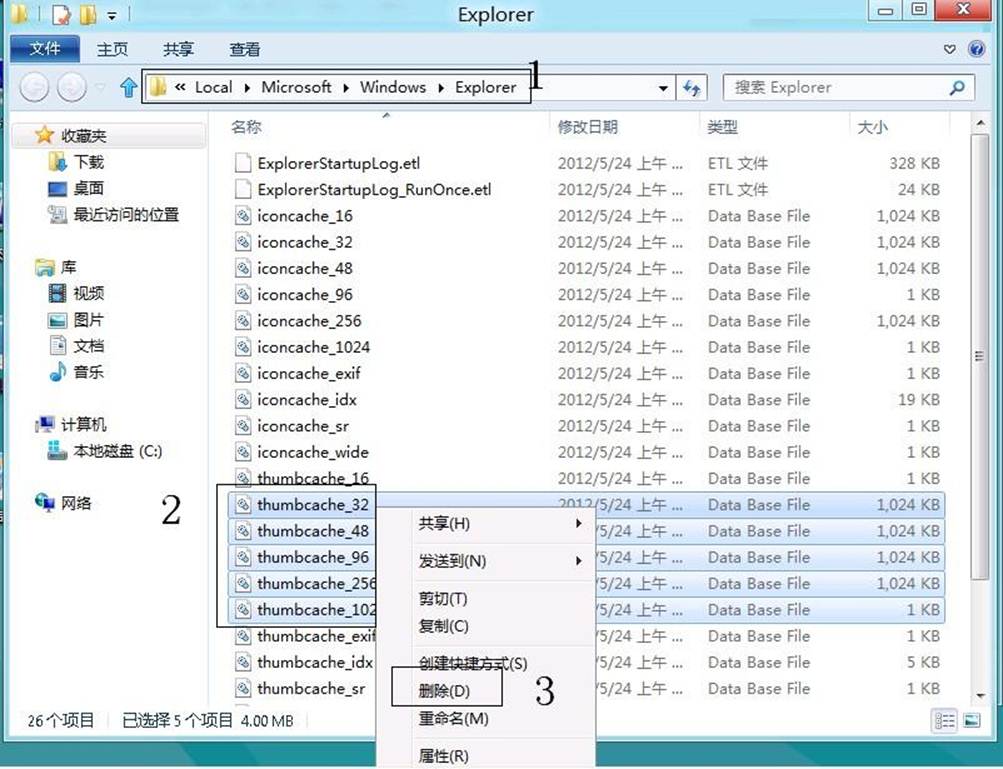
瀏覽圖片/視訊資料夾時,縮略圖顯示錯亂、空白或錯誤圖示,通常為快取檔案損毀所致。
%USERPROFILE%\AppData\Local\Microsoft\Windows\Explorer
thumbcache_32.db
thumbcache_96.db
thumbcache_256.db
thumbcache_1024.db
Windows 8 關機十大實用方法:從 Charms 到命令列全掌握
Win8 修改電腦名稱教學:系統屬性三步驟完成個人化命名
Win8 查看電腦配置三法:設定介面、dxdiag、系統資訊
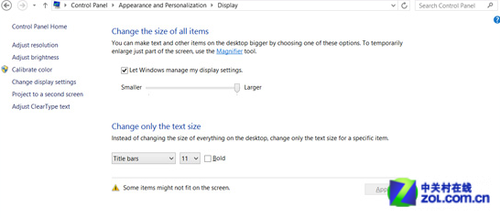
Win8 變更標題列字型大小與樣式完整教學
Win8 手動啟用內建 Administrator 管理員帳號:取得最高權限
Win8 螢幕鍵盤三大開啟技巧,觸控與鍵盤滑鼠雙模式輕鬆切換
Win8.1 內建 Modern 應用全掛?DISM + SFC 雙重修復一鍵救活
Win8.1 關機五大法:Charms 電源鍵、Win+X 選單、Alt+F4、Ctrl+Alt+Del、電源鍵一鍵關機