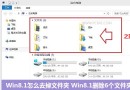
Win8.1 如何取消資料夾/檔案共用?右鍵「共用」→「停止共用」
Intel 釋出 Windows 8 RP 版核心顯卡驅動 15.28.0.2792 新增 OpenGL 4.0 支援
Win8 查看本機 MAC 地址:cmd ipconfig /all 顯示實體位址
獨家首發支援 Windows 8:驅動精靈 2011 SP2 版本釋出
Windows 8 全新工作管理器亮相:圖形化介面、一鍵結束程序
消息稱微軟 2012 年 4 月推 RTM 版 Windows 8 股價大漲 3.7%
Win8 變更桌面主題:內建與線上主題雙管道切換
Windows 8 設定多螢幕擴充顯示四步驟快速上手