Windows XP Windows 7 Windows 2003 Windows Vista Windows 綜合教學 Linux 系統教學
Windows 10 Windows 8 Windows 2008 Windows NT Windows Server 電腦軟體教學

Windows Update 錯誤 80070003 解決:刪除軟體分發暫存資料夾

編輯:Win7 系統基礎知識

Win7 檢查更新出現錯誤代碼 80070003,主因是 SoftwareDistribution 資料夾內的暫存更新檔案損毀。刪除後重啟更新服務即可修復。

修復步驟

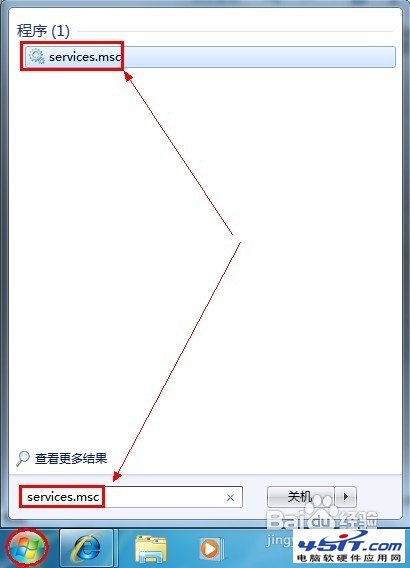
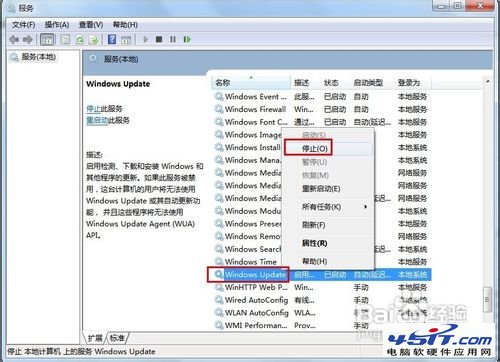
  1. 停用 Windows Update 服務:
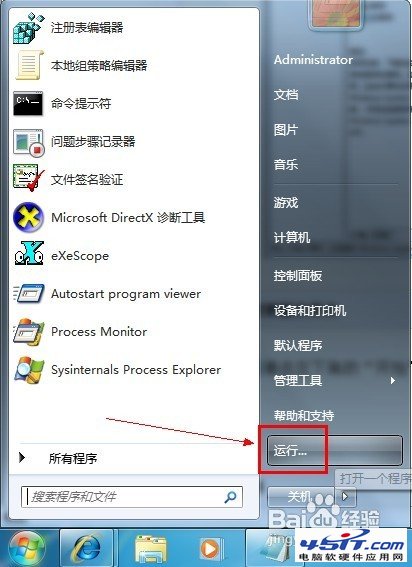
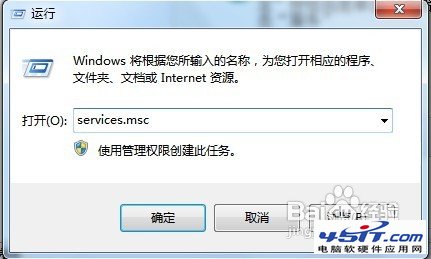
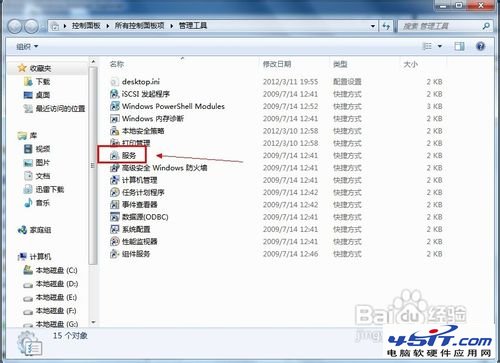
    Win+R → services.msc → 找到「Windows Update」 → 右鍵「停止」。
  2. 刪除暫存資料夾:
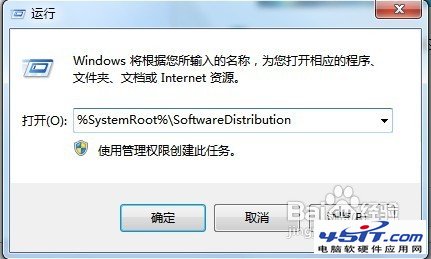
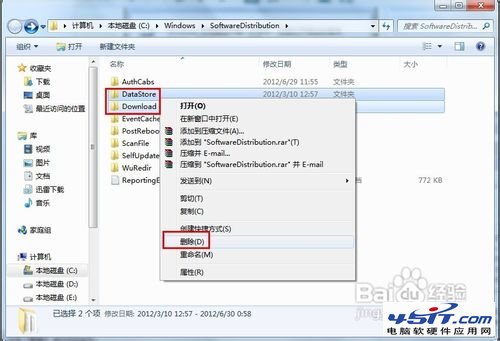
    Win+R → %SystemRoot%\SoftwareDistribution → 刪除 DataStore 與 Download 兩個資料夾。
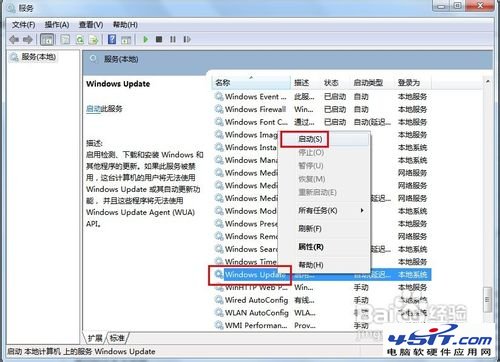
  3. 重新啟動 Windows Update 服務:
    回到 services.msc → 右鍵「Windows Update」 → 「啟動」。
  4. 再次檢查更新,錯誤應已解決。

services.msc停止服務

Windows Update服務停止

執行SoftwareDistribution路徑

SoftwareDistribution資料夾

刪除DataStore和Download

重新啟動服務

服務管理介面

啟動Windows Update服務

此法同樣適用於其他更新錯誤代碼(如 80072EFE, 8024402C 等)。定期清理此資料夾可預防更新異常。

Copyright © Windows教程網 All Rights Reserved