Windows XP Windows 7 Windows 2003 Windows Vista Windows 綜合教學 Linux 系統教學
Windows 10 Windows 8 Windows 2008 Windows NT Windows Server 電腦軟體教學

Win7 開機卡在「安裝程式正在為首次使用電腦做準備」:誤觸 oobe 檔案修復實錄

編輯:Win7 系統基礎知識

誤點擊 C:\Windows\System32\oobe 目錄下的 .exe 檔案(如 audit.exe、msoobe.exe 等),導致每次開機都進入「安裝程式正在為首次使用電腦做準備」畫面(OOBE 模式)。嘗試多種網路方案無效後,最終發現:直接執行 setupsqm.exe 重開機即可解決。

失效嘗試記錄

  • 註冊表清空 BootExecute → 無效
  • CMD 執行 SetAdmin.cmd 腳本 → 無效(適用情境不同)
  • 停用 Windows Update 服務 → 無效
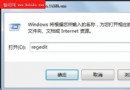
  • 註冊表修改 Setup\Status\AuditBoot=1 → 重開機無對話框出現,無效

有效解法:解鈴還須繫鈴人

  1. 進入 C:\Windows\System32\oobe 目錄
  2. 雙擊執行 setupsqm.exe
  3. 重新開機,OOBE 循環即解除,恢復正常開機

oobe 目錄下 6 個 .exe:audit.exe, msoobe.exe, oobeldr.exe, Setup.exe, setupsqm.exe, windeploy.exe。實測 setupsqm.exe 為修復關鍵。


Copyright © Windows教程網 All Rights Reserved