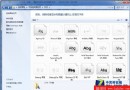
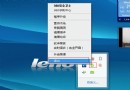
工作列右下角小旗幟彈出「設定備份」通知,若不需系統備份功能:
需時再開啟同路徑即可恢復提示。
Windows 7 系統優化提速寶典(第二部份):磁碟空間瘦身與 winsxs 壓縮
Windows 7 字體設定一鍵還原預設值,解決亂碼與顯示異常
Win 7 安裝升級購買常見 7 大問題解答(一)
Win7 插入 USB 總提示「掃描並修復」?chkdsk 掃描一次徹底根治
Windows 7 核心版本號澄清:內核仍為 6.1,產品版本才是 7.0
解決 Windows 7 下 IE8 開啟緩慢:關閉「自動偵測設定」即時見效
Windows 7 資源管理器導覽窗格自動展開資料夾:兩個勾選框搞定
CPU 占用率忽高忽低?深度解析常見原因與排查步驟