開機跳出 X:\Windows\system32\soudmax.dll 找不到指定模組,主因病毒偽裝聲卡驅動並寫入啟動項,殺毒後殘留登錄表啟動值導致系統嘗試載入不存在檔案。
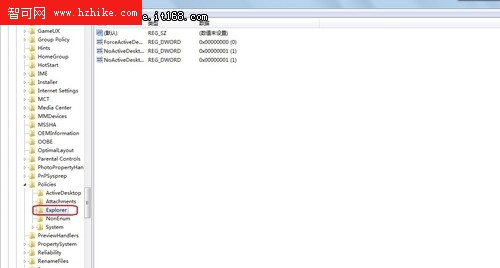
regedit → 定位 HKEY_LOCAL_MACHINE\SOFTWARE\Microsoft\Windows\CurrentVersion\Policies\Explorer\Run → 刪除含 soundmax.dll 的啟動值。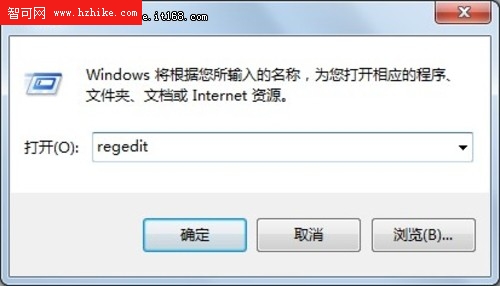
msconfig → 「啟動」索引標籤 → 取消勾選含 soundmax.dll 的項目。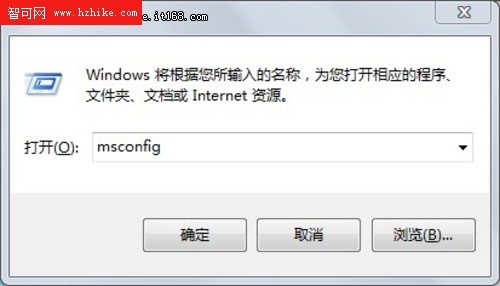
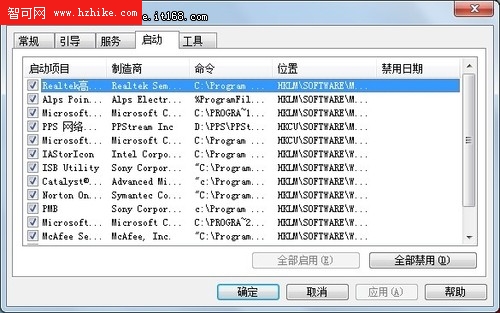
此法針對「病毒偽裝寫入啟動項」類問題。若系統檔案被誤殺/隔離,或病毒採用更隱蔽手法 (Rootkit、服務、排程任務),需進一步排查,非萬能方案。
Windows 7 查看 Hyper-V 虛擬機器最大動態記憶體:效能監視器 + PowerShell 指令
Win7 連接 iPad 2 後 iTunes 偵測不到裝置?完整排除教學
Windows 7 讀卡機磁碟機代號消失?資料夾選項兩選項調整即可顯示
Win7 動態主題自動獲取 Bing 每日新桌布(一):首款 RSS 訂閱主題
Windows 8 消費者預覽版五大不完美體驗點評 (下):Metro 遊戲無法正常關閉、聊天工具無訊息提醒
Windows 7 問題步驟記錄器 (PSR) 完整教學:啟動、設定、錄製故障、查看報告、遠端除錯神器