Win7 檔案總管右上角搜尋框會記錄歷史關鍵字,隱私敏感時可用三種方式清除:
點擊搜尋框 → 游標指向欲刪除的記錄(勿點擊) → 按 Delete 鍵 → 逐一清除。
regedit
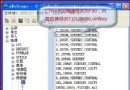
HKEY_CURRENT_USER\Software\Microsoft\Windows\CurrentVersion\Explorer\WordWheelQuery
MRUListEx
gpedit.msc
⚠ 提醒:修改註冊表有風險,建議先備份。
Windows 7 硬碟燈狂閃?停用三大「硬碟殺手」服務 + 關閉系統還原/索引,讓硬碟安靜下來
Windows 7 關機加速:登錄表修改 WaitToKillServiceTimeout 縮短等待時間
Windows 7 個人化設定三大敗筆:透明視窗、主題佔記憶體、歷史網址雙鍵難用
Windows 7 「音訊服務未執行」三大解決方案:重啟服務、帳戶修正、音量拉滿
Windows 7 遠端協助完整設定與使用教學:輕鬆連線協助親友解決電腦問題
Windows 7 一鍵休眠:桌面建立捷徑與熱鍵,秒速進入休眠
Windows 7 光碟機新功能:DVD 格式化為 UDF 當隨身碟用,可重複讀寫刪除
Windows 系統受損急救秘笈(上):四大非重灌修復技巧