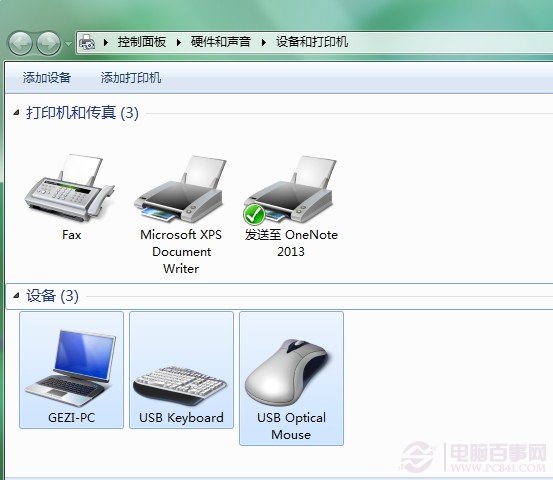
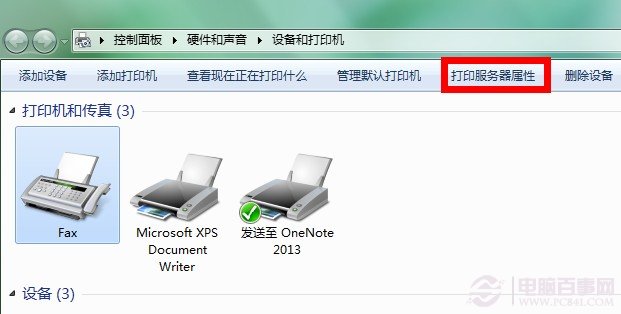
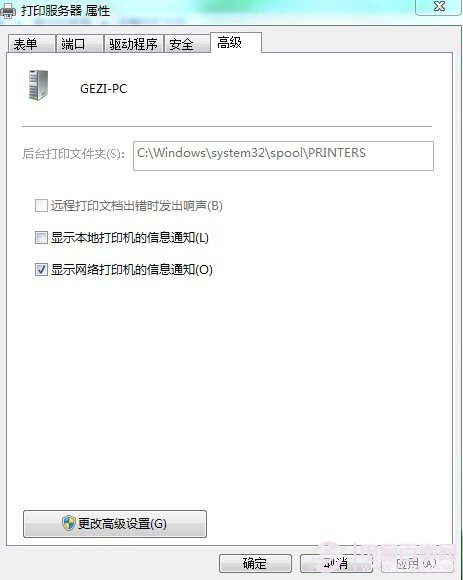
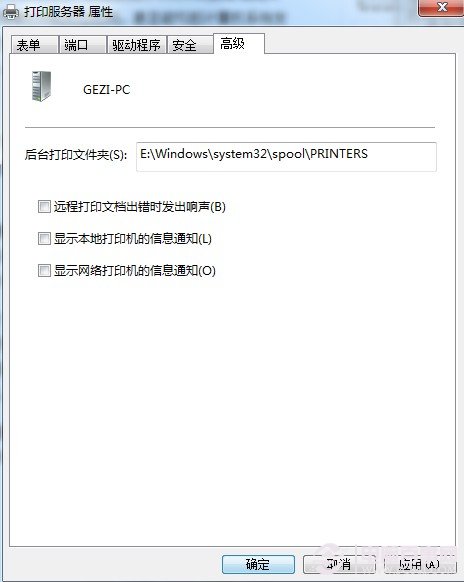
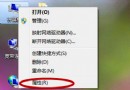
大量列印時印表機反應遲鈍甚至死當,主因是後台列印資料夾預設在系統盤(C:\Windows\System32\spool\PRINTERS),與系統讀寫爭奪資源。將緩存資料夾移至非系統盤可大幅提升列印速度與穩定性。
C:\Windows\System32\spool\PRINTERS
D:\PrintSpool
修改後重新啟動列印服務或重開機生效,避免系統盤 I/O 瓶頸,列印大檔案更流暢。
Win7 顯示器色彩校正完整教學,呈現最真實色彩
Win 7 分區越多越慘?「程式庫」機制讓單分區+資料分區成最佳實踐
USB 隨身碟/行動硬碟安裝 Windows 7 完整教學(適合無光碟機筆電)
Windows 7 開機自動撥號上網:註冊表啟動項 + 寬帶連線設定
Windows 7 移除 IE8 瀏覽器:功能存在但極少人用,移除後 IE 核心瀏覽器恐失效
Windows 7 超級工作列 6 大實用技巧:釘選程式/檔案、顯示桌面、多視窗切換、重複啟動、Jump List 滑鼠左鍵喚鍵
Windows 7 設定開機自動撥號上網:告別手動點擊寬帶連線
將 Windows 7 winsxs 資料夾移至非系統碟釋放空間完整教學