虛擬記憶體非萬能,設定錯誤反拖慢效能。三大必知:
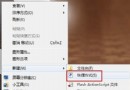
設定路徑:右鍵「電腦」→「內容」→「進階系統設定」→「進階」→「效能」→「設定」→「進階」→「虛擬記憶體」→「變更」。
Win7 徹底移除印表機驅動程式圖文教學 (含列印佇列卡住處理)
Windows 7 任務列縮圖鍵盤巡覽:Win+T,方向鍵選視窗、Enter 切換,無需滑鼠懸停
自訂 Windows 7 資源管理器工具列:新增剪貼簿、重新命名等實用按鈕
Windows 7 輕鬆調整工作列預覽縮圖大小,看清視窗內容
Windows 7 解鎖隱藏主題:五國風格主題一鍵啟用
Win7 睡眠/休眠/混合睡眠/離開模式完整解析:省電、喚醒速度、資料安全、適用場景一次懂
Win7 升級後光碟機消失?修改登錄表刪除 UpperFilters/LowerFilters 解決
Windows 7 系統瘦身進階篇:內建遊戲、公用資料夾、註冊表優化開關機速度