Windows XP Windows 7 Windows 2003 Windows Vista Windows 綜合教學 Linux 系統教學
Windows 10 Windows 8 Windows 2008 Windows NT Windows Server 電腦軟體教學

Windows 定時關機指令教學:倒數計時、指定時間與取消關機完整指令表

編輯:Win7 系統基礎知識

想讓電腦像手機一樣定時關機?Windows 內建 shutdown.exe 指令即可達成,適用 Win7/8/10/11。

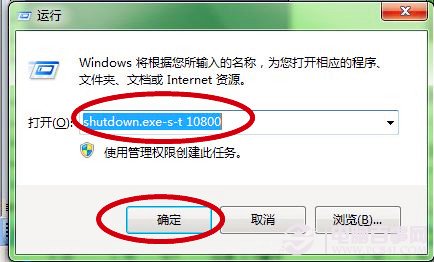
方法一:倒數計時關機

Win+R → 輸入 shutdown.exe -s -t 秒數 → 確定。
例:半小時 1800、3小時 10800。

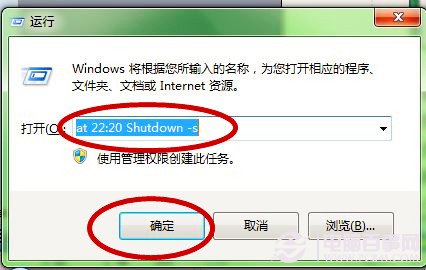
方法二:指定時間關機

Win+R → 輸入 at 22:20 shutdown -s(24 小時制) → 確定。
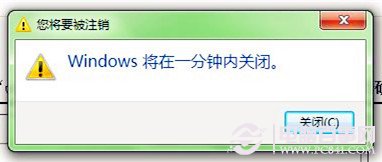
關機前 30 秒系統會彈出提醒。
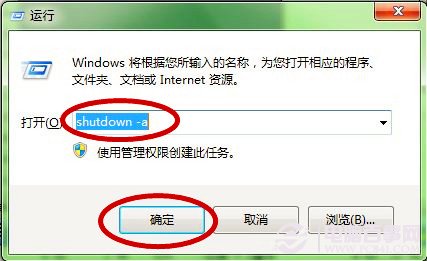
方法三:取消排程關機

Win+R → 輸入 shutdown -a → 確定。

後記

適合有孩童家庭培養自律、規律作息者使用。

Copyright © Windows教程網 All Rights Reserved