Windows XP Windows 7 Windows 2003 Windows Vista Windows 綜合教學 Linux 系統教學
Windows 10 Windows 8 Windows 2008 Windows NT Windows Server 電腦軟體教學

找回因關閉 UAC 而消失的 Windows 7 桌面小工具:註冊表啟用 AllowElevatedProcess

編輯:Win7 系統基礎知識

Windows 7 Beta 1 中停用 UAC(使用者帳戶控制)會導致桌面小工具無法運作。若想關閉 UAC 卻保留小工具功能,可透過註冊表啟用提權支援。

修復步驟

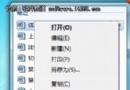
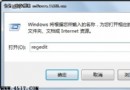
  1. 開啟註冊表編輯器(regedit.exe)。
  2. 定位至:
    HKEY_LOCAL_MACHINE\SOFTWARE\Microsoft\Windows\CurrentVersion\Sidebar\Settings
  3. 右鍵新增 DWORD (32 位元) 值,命名 AllowElevatedProcess。
  4. 雙擊設定數值資料為 1。
  5. 關閉註冊表,重新開機。

重開機後,即使 UAC 關閉,桌面小工具(Sidebar)亦可正常載入運作。此值允許小工具進程在提權狀態下運行,繞過 UAC 停用導致的權限阻擋。

Copyright © Windows教程網 All Rights Reserved