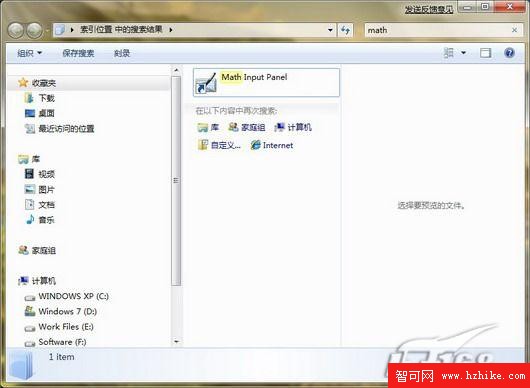
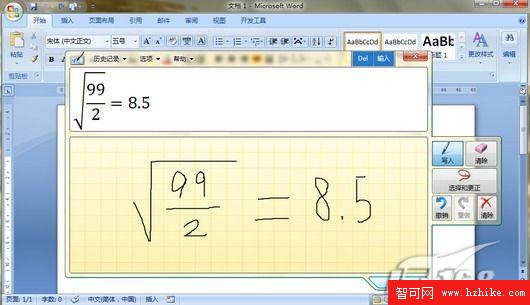
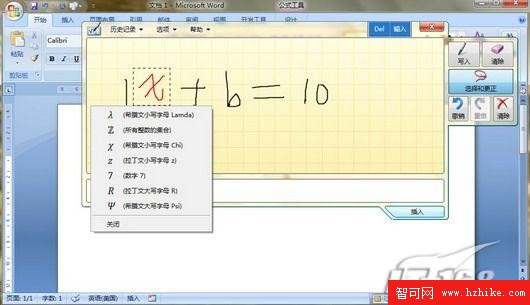
Windows 7 內建「數學輸入面板」(Math Input Panel),免安裝公式編輯器即可手寫輸入數學公式並插入 Word 2007+:
快捷方式建立:目標路徑 "%CommonProgramFiles%\Microsoft Shared\Ink\mip.exe"。支援手寫辨識、自動排版、LaTeX 相容輸出,大幅簡化文件公式編輯流程。
"%CommonProgramFiles%\Microsoft Shared\Ink\mip.exe"
將任意遊戲加入 Windows 7 遊戲管理器:修改登錄實現自訂遊戲庫完整教學
Win7 如何新增區域網路共享印表機?完整圖文教學
Win7 刷入 SLIC 憑證仍無法 OEM 激活?排查步驟與軟激活替代方案
Windows 7 函式庫深度解析:跨裝置檔案管理新範式
Windows 7 家用高階版、專業版、旗艦版三大主流版本深度差異解析
U極速 USB 安裝 Windows 7 + Windows 8 雙系統完整教學:分區安裝 + 引導修復
安裝 Windows 7 前必知五件事(下):Windows.old 保留舊資料、驅動備份位置、乾淨安裝四步驟
Windows 7 安裝驅動程式出現錯誤怎麼辦?缺少 DLL 檔案完整解決教學