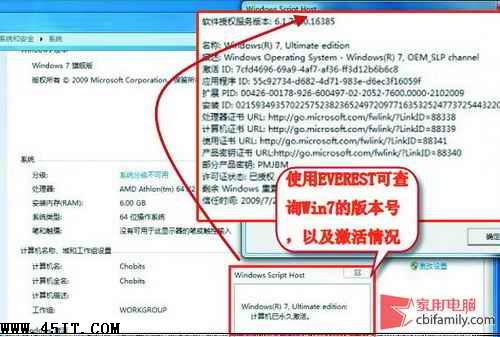
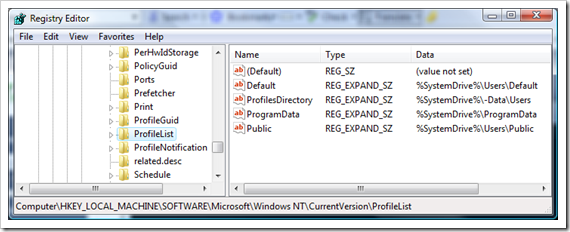
已將聯想 SLIC 憑證刷入 BIOS,EVEREST 顯示匹配,安裝聯想 OEM 版 Win7 卻無法激活。請依序排查:
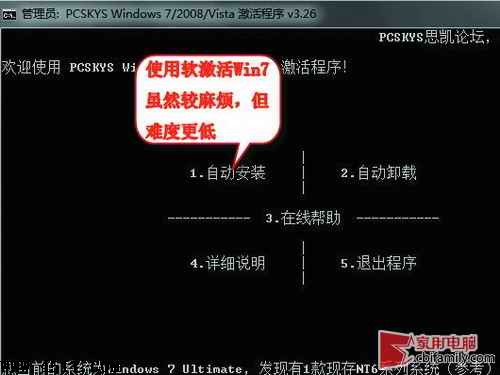
PCSKYS Windows7Loader V3.26
硬激活失敗多因序號錯誤、BIOS 寫入不完整或主板不支援,軟激活是穩妥備案。
手機電腦連上 WiFi 卻上不了網?分步排查網路故障完整指南
Windows 7 虛擬 XP 模式硬體門檻:至少 2GB 記憶體、CPU 需支援虛擬化
Win7 玩遊戲延遲/卡頓解決:停用 MMCSS 多媒體排程服務
Win 7 無法開啟 .hlp 說明檔?下載安裝 WinHlp32.exe 即可支援
Win 7 系統 70 個小竅門一覽表 (4)
放棄 XP,Win7 超越 XP 不止一點!深度對比與遷移建議
Windows 7 資料救援必讀:管理員權限與 XP 差異
Windows 7 系統優化 12 招(四):關機、VMWare、WMP12 實用技巧