Windows XP Windows 7 Windows 2003 Windows Vista Windows 綜合教學 Linux 系統教學
Windows 10 Windows 8 Windows 2008 Windows NT Windows Server 電腦軟體教學

移除 Windows 7 覆蓋安裝遺留的多重開機選單:兩大法速刪舊項目

編輯:Win7 系統基礎知識

覆蓋安裝 Windows 7 未格式化 C 槽時,安裝程式會將舊系統移至 Windows.old 資料夾。刪除該資料夾釋放空間後,開機選單仍保留舊系統項目,每次開機需手動選擇。提供兩種移除方法:

方法一:圖形介面 (msconfig)

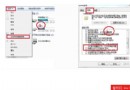
  1. Win+R 輸入 msconfig → 「開機」索引標籤
  2. 選中舊系統項目 → 「刪除」 → 設定 Windows 7 為預設 → 確定

方法二:命令列 (bcdedit) — 適合腳本自動化

  1. 以「系統管理員身分執行」開啟「命令提示字元」
  2. 執行:bcdedit /set {default} description "Windows 7" 重新命名預設項目(可選)
  3. 若需刪除特定項目:bcdedit /delete {identifier} (identifier 可用 bcdedit /enum 查詢)

操作完成後重開機,直接進入 Windows 7 無選單等待。

Copyright © Windows教程網 All Rights Reserved