Windows XP Windows 7 Windows 2003 Windows Vista Windows 綜合教學 Linux 系統教學
Windows 10 Windows 8 Windows 2008 Windows NT Windows Server 電腦軟體教學

Windows 7 桌面圖示異常(白紙/錯誤圖示)四大解決方案依強度排序

編輯:Win7 系統基礎知識

Win 7 桌面捷徑圖示變白紙/錯誤?四招由輕到重徹底修復

安裝 Win 7 後常遇桌面捷徑圖示顯示異常(變白紙或錯誤圖示)。整理四種解決方法,依解決力道遞增:
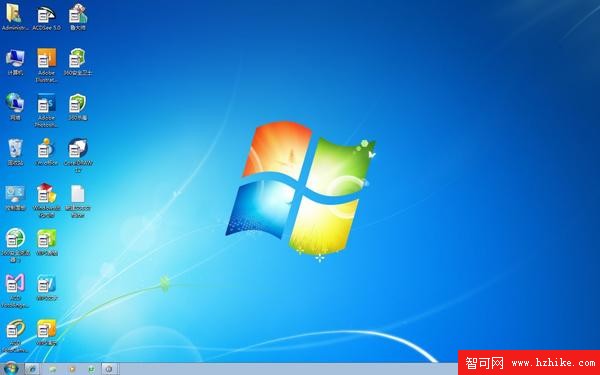
圖示異常範例
  1. 安裝 Win 7 優化大師:部分電腦安裝完成即自動修復(最輕量)。
  2. 優化大師一鍵優化 → 桌面選單優化 → 設定嚮導 → 完成 → 重啟:針對性修復圖示快取。
  3. 手動刪除 IconCache.db 並重啟 explorer.exe:
    方法 A:用 WinRAR/7-Zip 開啟 %userprofile%\AppData\Local 刪除 IconCache.db,工作管理器新增工作 explorer.exe。
    方法 B(CMD 批次):
    taskkill /f /im explorer.exe
    attrib -h -i %userprofile%\AppData\Local\IconCache.db
    del %userprofile%\AppData\Local\IconCache.db /a
    start explorer
  4. 下載「去除 Win 7 捷徑小箭頭」工具(360 軟體管家 → 裝機必備 → Win 7 必備):安裝執行即可(最強力,但屬第三方工具)。
由 1 到 4 依序嘗試,通常第 2 或 3 招即能解決。若皆無效請檢查系統檔案完整性(sfc /scannow)。

Copyright © Windows教程網 All Rights Reserved