使用優化軟體(如魔方)清理後,右鍵「新增」選單常遺失「BMP 影像」。標準修復工具無效時,可匯入以下登錄檔強制恢復。
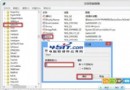
新建文字檔,貼入下列內容,存為 FixBMP.reg,雙擊匯入:
Windows Registry Editor Version 5.00

[HKEY_CLASSES_ROOT\.bmp]
@="Paint.Picture"
"PerceivedType"="image"
"Content Type"="image/bmp"

[HKEY_CLASSES_ROOT\.bmp\OpenWithList]

[HKEY_CLASSES_ROOT\.bmp\OpenWithList\MSPaint.exe]
@=""

[HKEY_CLASSES_ROOT\.bmp\OpenWithProgids]
"Paint.Picture"=hex(0):

[HKEY_CLASSES_ROOT\.bmp\PersistentHandler]
@="{098f2470-bae0-11cd-b579-08002b30bfeb}"

[HKEY_CLASSES_ROOT\.bmp\ShellNew]
"NullFile"=""
匯入後重開機或重新登入即可生效。適用於 Win 7/XP,原理為重建 .bmp 檔案關聯與 ShellNew 空白檔案範本。