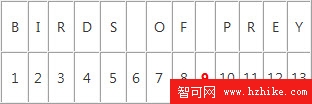
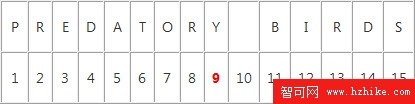
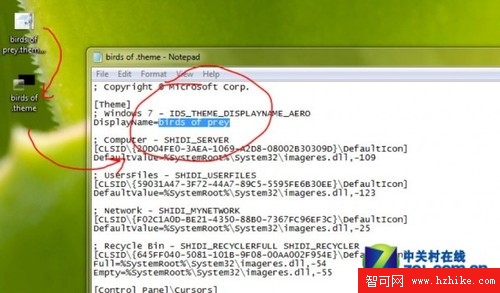
下載 .themepack 主題雙擊無反應?檢查檔名第 9 個字元是否為空格——這神秘 Bug 導致安裝失敗(第 10 字元空格則正常)。微軟未官方解釋,但確實存在。
.themepack
.cab
.theme
主題包結構:.theme XML + 壁紙/聲音資料夾。修復後即可正常安裝。
Win7 網路圖示顯示「未連線」但實際可上網?修復圖示狀態異常
Win 7 不斷彈出「已更正的硬體錯誤:快取階層結構錯誤」?原因與對策
Windows 7 內建功能調整分區不求人:完整圖文步驟與擴展分區自動轉換機制
Win7 下載中斷最簡排解:網卡電源管理「允許關閉裝置」取消勾選,迅雷/快車不再掉線
優化 Windows 7 讓網頁遊戲不卡、記牌器正常:UAC 第三級 + 記牌器以管理員身分執行
Windows 7 快速查看系統資訊兩大法:常規路徑與一鍵搜尋
Win7 記憶體佔用高?Superfetch 預讀機制原理解析與優化建議
Windows 7 電源按鈕選單完整解析:七大功能逐項掌握