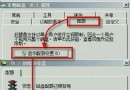
電腦網路連線正常,但工作列網路圖示卻顯示紅叉「未連線」。這通常是「Routing and Remote Access」服務與 Windows Explorer 狀態不同步導致。
services.msc
explorer.exe
explorer
此法修復 Explorer 對網路狀態的快取錯誤,無需重開機。
Win7 內建指紋辨識設定:Windows Update 裝驅動 → 生物辨識裝置錄入指紋,免裝第三方軟體
Windows 7 開機加速四大秘技:字體、Aero、服務、啟動項
關閉 Windows 7 遠端差分壓縮 (RDC) 加速區域網路複製:Windows 功能對話盒取消勾選
Win7 休眠狀態下仍能下載?啟用「離開模式」省電又不斷線
Windows 7 17 個令人著迷的小技巧(第一部份):隱私保護、家庭群組、可靠性監視器、鍵盤捷徑等
Win 7 / Server 2008 R2 偶發 0x0000007E 藍畫面?熱修補程式 KB2528614 針對性修正
找回 Windows 7 開機動畫:解決變成綠色進度條的兩大原因
MacBook 安裝 Win7 系統無損多分區完美解決方案