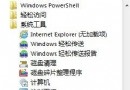
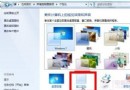
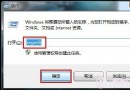
右鍵資料夾→「內容」→「位置」→設為 X:\Users\Administrator 等非系統盤路徑。
| 路徑 | 說明 | 建議 |
|---|---|---|
C:\Windows\Web\Wallpaper | 系統內建桌布 | 移動備份 |
C:\Windows\System32\DriverStore\FileRepository | 驅動程式庫 | 搜尋 ati*.inf (A卡保留/刪N卡)、nv*.inf (N卡保留/刪A卡)、mdm*.inf (舊數據機)、prn*.inf (印表機驅動,保留 prnms001/prnoc001/prnms002.inf) |
C:\Boot | 多語言開機畫面 | 除 zh-CN 外全刪 |
C:\PerfLogs\System\Diagnostics | 系統測試記錄 | 刪除 |
C:\Windows\Downloaded Installations | 程式安裝暫存解壓檔 | 安全刪除 |
C:\Windows\Help | 說明文件 | 全刪 (66.7MB) |
C:\Windows\IME\IMEJP10/imekr8/IMETC10 | 日/韓/繁中輸入法 | 若用第三方輸入法可全刪 |
C:\Windows\System32\IME\... | 同上 | 同步刪除 |
注意: 系統版本不同路徑可能不存在,僅供參考,操作前請備份。