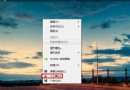
Aero Shake:抓住視窗標題列搖晃 → 其他視窗最小化;再搖一次 → 還原。許多用戶習慣 Win+D 或 Win+,,此功能幾乎不使用。
gpedit.msc
對比啟用/停用前後 CPU、記憶體、GPU 佔用,**無顯著差異**,甚至無可測量變化。停用主要僅為「移除誤觸發干擾」與「個人習慣偏好」,而非節省資源。
僅 Windows 7 / Windows Server 2008 R2 支援此群組原則設定。Vista 及更早版本無此功能。
離線也能截圖!Windows 7 內建截圖工具完整使用教學
揭開 Windows 7 17 項隱藏技巧(下):以管理員身分執行、操作中心、UAC 滑桿、InPrivate、家庭群組、可靠性監視器、PowerShell
關閉 IE 加速器的群組原則設定技巧
微軟 Windows 7 家庭/混合網路共享全攻略:工作群組、來賓帳戶、資料夾權限與媒體串流
系統當機免重灌:Windows 7 自修復功能完整指南
自製 Windows 7 個人化主題:桌布、色彩、聲音一鍵分享
Windows 7 與 XP 同安裝於 C 槽雙系統:修改 XP 安裝路徑 + EasyBCD 引導修復完整教學
Windows 7 上網變慢怎麼辦?清理垃圾 + 無線網卡調教加速