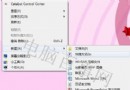
許多從 XP 升級的用戶發現:原本在「顯示內容」裡的螢幕保護程式設定在 Windows 7 不見了!其實微軟將其移至 控制台 → 個人化 中。
設定介面與舊版相似:可選擇內建動畫、相片幻燈片、自訂文字等,並設定等待時間、恢復時是否顯示登入畫面。搞定位置後,依舊能輕鬆保護隱私與省電。
Windows 7 系統托盤顯示星期幾:調整日期格式或用小工具 KClock 完美解決
跨時區協作利器:Win7 桌面右下角顯示多個時鐘(一)
Windows 7 免安裝直接「複製」即用(二):ImageX 一鍵還原,備份更安全
Windows 7 媒體中心主題更換完整教學
Win 7 傳真功能消失?「開啟或關閉 Windows 功能」重裝即可恢復
Win7 拒絕連線無線路由器?升級路由器韌體解決相容性問題
Win7 下安裝 SQL Server 2000 完整教學:啟用 Administrator 帳號法
Win 7 加速 5 大秘技:刪除多餘字型、改用高效能電源計畫、關閉系統音效、啟用 AHCI+NCQ、記憶體建立 RAM Disk 虛擬磁碟