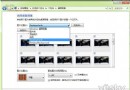
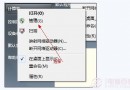
承前文,本篇深入 ftype 指令修復檔案類型與開放命令關聯、解析右鍵「開啟方式」與 ftype 的優先權機制、提供 .lnk 捷徑關聯錯誤的終極解法:刪除 UserChoice 登錄項。
ftype 指令:修復檔案類型與開放命令關聯
- 查詢:
ftype txtfile → 顯示 txtfile="%SystemRoot%\system32\NOTEPAD.EXE" %1
- 修復:
ftype txtfile="%SystemRoot%\system32\NOTEPAD.EXE" %1
- 清除關聯:
ftype lnkfile= (等號後無空格),ftype lnkfile= (等號後有空格) 在 XP/Win7 行為不同。
- 修改的登錄位置:
HKEY_CLASSES_ROOT\\shell\open\command 預設值。
右鍵「開啟方式」 vs ftype:兩套平行機制
| 維度 | ftype (系統層級) | 右鍵開啟方式 (使用者層級) |
|---|
| 修改登錄 | HKCR\ | HKCU\Software\Microsoft\Windows\CurrentVersion\Explorer\FileExts\. |
| 優先權 | 低 | 高 (使用者設定覆蓋系統設定) |
| 適用範圍 | 全機使用者 | 當前使用者 |
.lnk 捷徑關聯錯誤:ftype 無效,必須刪除 UserChoice
現象:捷徑被誤關聯至 Word/記事本,ftype/assoc 顯示正常但無法恢復。
原因:Win7 中 .lnk 的右鍵「開啟方式」設定 (儲存於 HKCU\...\FileExts\.lnk\UserChoice) 優先權高於 ftype。
終極解法
- 執行
regedit。
- 定位:
HKEY_CURRENT_USER\Software\Microsoft\Windows\CurrentVersion\Explorer\FileExts\.lnk\UserChoice
- 刪除
ProgId 值 (或整個 UserChoice 項目)。
- 重開機或重啟
explorer.exe,捷徑關聯完美恢復。
補充:XP 無 UserChoice 項目,Win7 簡化「預設程式」設定介面
XP 可在「資料夾選項」→「檔案類型」詳細設定;Win7 僅在控制台 → 程式 → 預設程式 → 「設定關聯」簡易介面。