離開模式特色
- 螢幕關閉、風扇降速、CPU 低頻運作,但**網路與下載程式持續運作**。
- 比睡眠省電,比休眠喚醒快,適合「離開一段時間但需繼續下載/備份」場景。
啟用方法(註冊表)
- 執行
regedit,定位至:
HKEY_LOCAL_MACHINE\SYSTEM\CurrentControlSet\Control\Session Manager\Power
- 右鍵空白處 → 新增 → DWORD (32 位元) 值,命名 AwayModeEnabled。
- 雙擊修改數值資料為 1(十六進位)。
- 重新開機生效。
使用方式
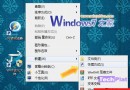
啟用後,開始選單「睡眠」按鈕即進入離開模式(非傳統睡眠)。