Windows XP Windows 7 Windows 2003 Windows Vista Windows 綜合教學 Linux 系統教學
Windows 10 Windows 8 Windows 2008 Windows NT Windows Server 電腦軟體教學

Windows 7 硬碟圖示異常?嘗試這招恢復預設圖示的替代方案

編輯:Win7 系統基礎知識

問題背景

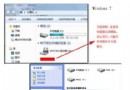
安裝第三方主題或美化工具後,還原預設視窗介面時,部分硬碟圖示無法正常顯示。常規解法是清空圖示快取(刪除 IconCache.db)並重開機,若無效可嘗試本文方法。

替代解法:重新註冊 Shell 圖示處理常式

  1. 按 Win+R 輸入 regsvr32 /i shell32.dll 按 Enter。
  2. 或執行 regsvr32 /i:ShellIconOverlayIdentifiers shell32.dll。
  3. 重新啟動電腦,觀察硬碟圖示是否恢復。

若仍無效

檢查 HKEY_LOCAL_MACHINE\SOFTWARE\Microsoft\Windows\CurrentVersion\Explorer\DriveIcons 是否有自訂圖示覆蓋,刪除對應機碼後重開機。

Copyright © Windows教程網 All Rights Reserved