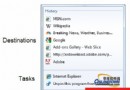
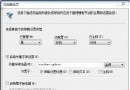
Windows 7 任務列圖示預覽縮圖預設較小,可透過登錄檔調大提升清晰度:
regedit
HKEY_CURRENT_USER\Software\Microsoft\Windows\CurrentVersion\Explorer\Taskband
MinThumbSizePx
450
explorer.exe
完成後滑鼠移至任務列圖示即可看清晰大圖預覽。有需求的朋友不妨一試。
Win7 索引功能無法使用?啟動 Windows Search 服務並勾選分區索引選項
Absolute Uninstaller:批次移除、修復無效圖示、清理殘留
無光碟機使用 OneKey Ghost 還原安裝仿 Win7 主題 XP 系統
將筆電常用驅動整合進 Win7 安裝光碟:RT Seven Lite 圖文教學(無線網卡、攝影機驅動一勞永逸)
Windows 7 僅允許存取指定網站的兩種實作方案
善用 BitLocker To Go 保護 USB 隨身碟/行動硬碟資料安全
Win7 隱藏功能小探索:問題步驟記錄器、建立修復光碟、耗電報告、系統還原
找回 Windows 7 資源管理器左側的回收站與常用資料夾