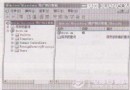
頑固病毒常阻擋專殺工具執行,需借助 DOS 或 PE 環境清除。專殺工具本質是能刪除病毒檔案的批次檔,撰寫不難。本文示範在 Windows XP 利用虛擬軟碟機 Vfloppy 加入 DOS 開機選單,配合 Autoexec.bat 實現開機自動掃毒。
kill.bat)。rem 移除病毒檔案屬性
attrib -h -r -s C:\Windows\IGM.exe
rem 刪除病毒檔案
del C:\Windows\IGM.exe
rem 建立同名目錄防止復發
md C:\Windows\IGM.exe
(實際需依病毒檔案位置增刪指令)
bookdisk.img,標示「DOS 自動掃毒」,套用後不重開機離開。C:\boot\bootdisk.img,展開 AUTOEXEC.BAT 至 D 槽,用記事本在 echo The diagnostic tools were successfully loaded to drive %RAMD%. 下加入 call d:\kill.bat,存檔後用 WinImage 覆蓋回映像檔。d:\kill.bat 即可。