Windows XP Windows 7 Windows 2003 Windows Vista Windows 綜合教學 Linux 系統教學
Windows 10 Windows 8 Windows 2008 Windows NT Windows Server 電腦軟體教學

Win7 安裝 CAD 2007 提示缺少 dfst.dll?新建空白 txt 改名為 dfst.dll 放入安裝目錄 Support 資料夾即可繞過檢查

編輯:Win7 常見問題解答

Windows 7 安裝 AutoCAD 2007 時,若在安裝支援元件階段報錯 「錯誤 1308:來源檔案 dfst.dll 找不到」,實為安裝程式檢查機制誤判。只需在安裝根目錄 Support 資料夾建立一個同名空檔案即可騙過檢查,順利完成安裝。

快速繞過步驟

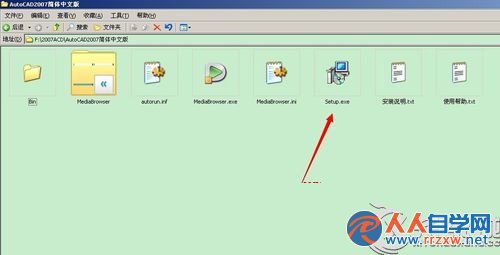
  1. 解壓 CAD 2007 安裝包 → 雙擊 setup.exe 開始安裝。
    CAD 2007 安裝啟動
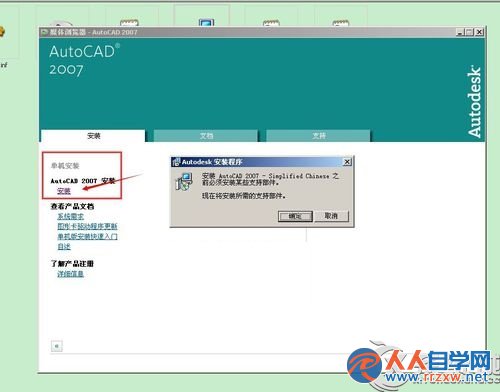
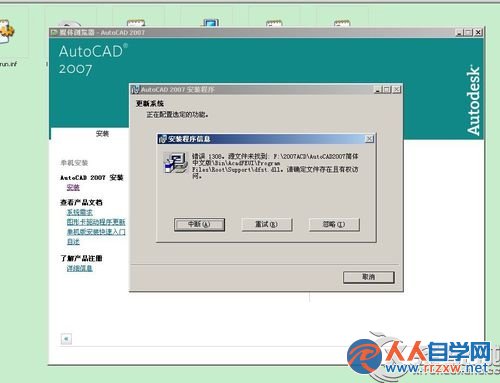
  2. 點選安裝 → 確認安裝支援元件 → 彈出錯誤 1308 找不到 dfst.dll。
    安裝支援元件
    錯誤 1308 dfst.dll
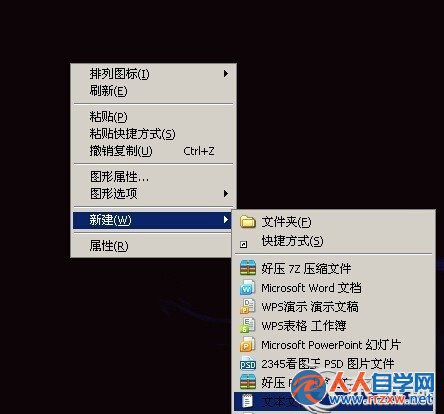
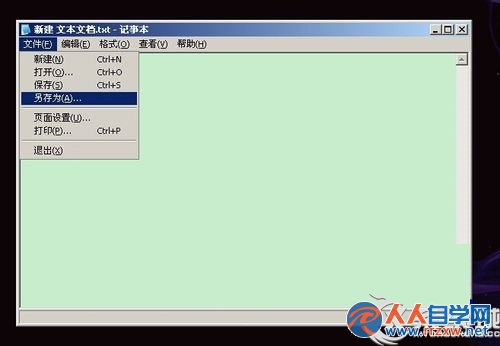
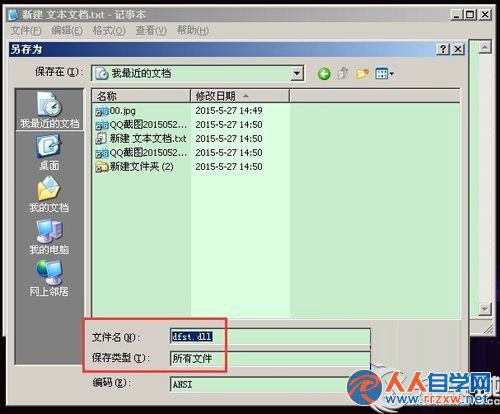
  3. 桌面/任意位置 → 右鍵 → 「新增」 → 「文字文件」 → 命名為 dfst.dll (副檔名必須為 .dll)。
    新建文字文件
    另存為 dfst.dll
    存檔類型所有檔案
  4. 將 dfst.dll 複製/移動到 CAD 安裝根目錄下的 Support 資料夾內。
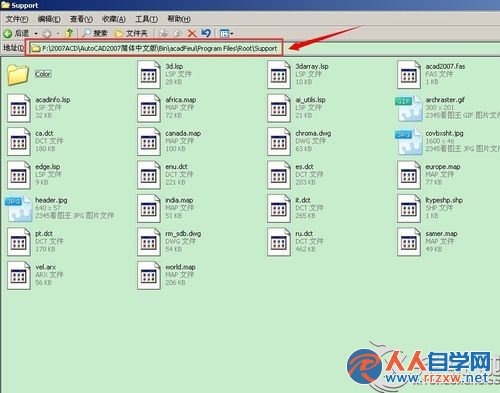
    放入 Support 資料夾
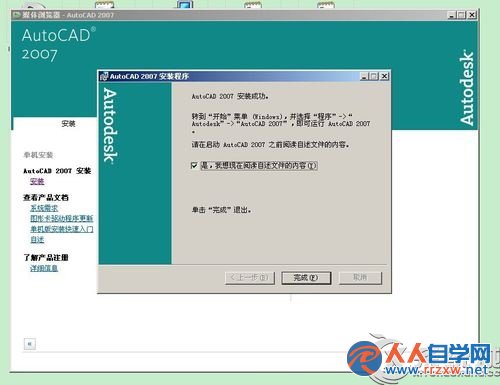
  5. 回到安裝精靈 → 「重試」 → 安裝繼續進行 → 完成安裝。
    重試安裝成功

原理: 安裝程式僅檢查 Support\dfst.dll 是否存在,不驗證檔案內容。此空檔僅為佔位,實際運行所需的 DLL 會由後續安裝步驟正確部署至系統目錄。

Copyright © Windows教程網 All Rights Reserved