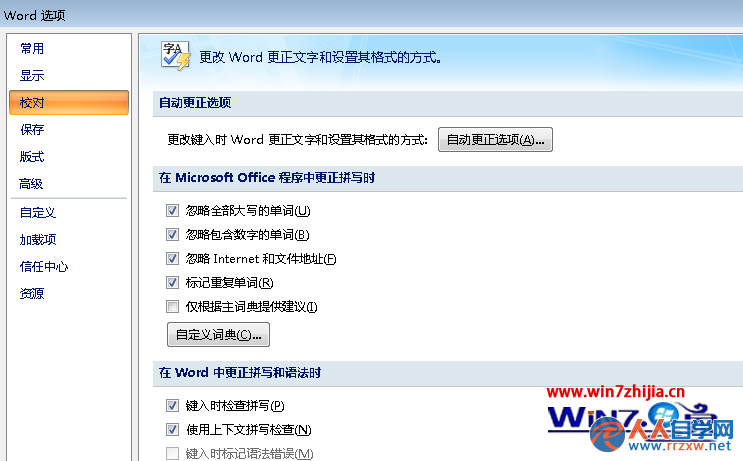
Word 開啟大檔時會**全文掃描拼寫與語法**,檔案越大掃描越久,導致介面假死。
需檢查時改用 F7 手動執行,平衡效能與校對需求。
Win7 磁碟分區完整教學:壓縮現有磁區建立新分區(圖文詳解)
Win7 開機顯示 0xC0000428 錯誤?Windows 安裝光碟修復啟動
Win7 啟用離開模式:註冊表新增 AwayModeEnabled 讓睡眠鍵進入背景運作狀態
Win7 減少關機等待時間,加快關機速度的註冊表技巧
讓 Win7 每個 IE 視窗獨立進程,避免單一崩潰波及全局
Win7 藍畫面代碼 116 (nvlddmkm.sys) 完整排查:驅動、散熱、硬體全方位解決
Win7 關機後自動重開機?完整排查與修復指南
Win7 桌面刪除檔案不自動重整?兩招修改註冊表徹底解決