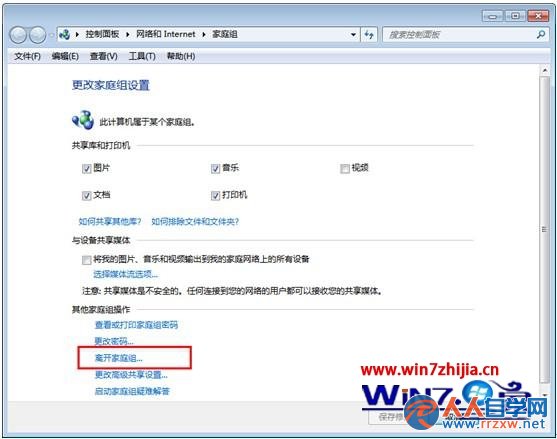
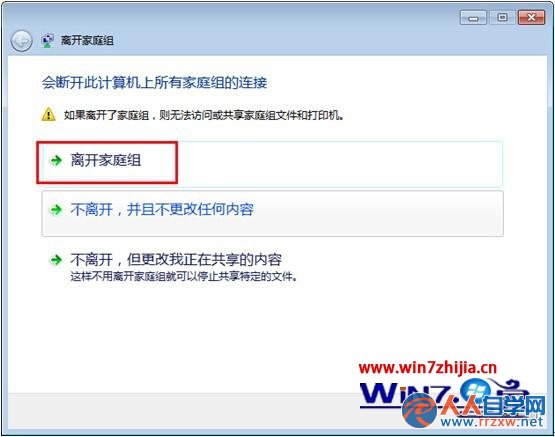
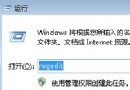
退出後不再共用圖書館、印表機,網路鄰居也不再顯示該群組電腦。
Win7 旗艦版找不到 NVIDIA 控制面板?開始搜尋 nvidia、或右下角托盤向上箭頭、或裝驅動精靈/驅動人生補驅動
Win7 Excel 內建「開啟並修復」功能:檔案 → 開啟 → 下拉選「開啟並修復」→ 點「修復」→ 完成自動標記「已修復」
防止 Windows 7 記錄搜尋歷史,保護隱私
Windows 7 遠端協助完整設定教學:邀請、連線、權限控制
Win7 開機反覆出現「歡迎使用尋找新硬體精靈」?裝置管理器停用/回滾驅動程式解決
Windows 7 亂碼問題完美解決方案:輕鬆運行簡繁體軟體
老毛桃 WinPE 硬盤安裝 Win7 圖文全攻略(無需光驅/U盤)
Win7 右鍵「開啟方式」出現兩個記事本?批次檔修改登錄徹底解決重複項目