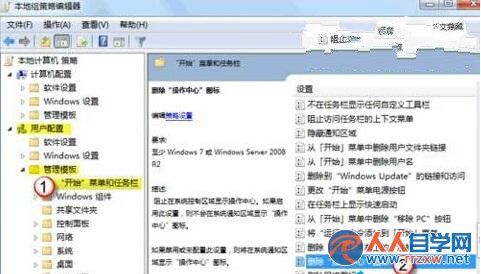
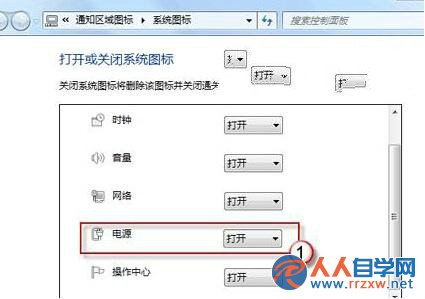
系統圖示服務被停用,或群組原則隱藏了作業中心圖示,導致電源圖示消失。
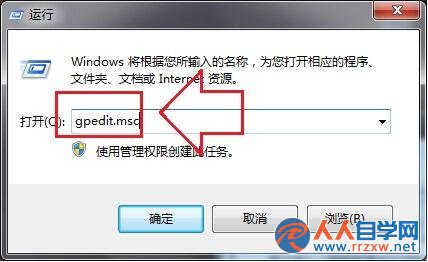
gpedit.msc
套用後電源圖示即刻回歸工作列通知區域。
關閉 Win7 側邊欄(Sidebar)節省資源:登錄與 msconfig 兩法
Win7 能不能當無線 AP?兩招查無線網卡是否支援虛擬 AP 功能
Win7 拖動視窗只見邊框不見內容?開啟「拖動時顯示視窗內容」即可解決
Win7 滑鼠右鍵選單自訂,魔方優化大師一鍵管理新增移除項目
Windows 7 刪除 Wubi 安裝 Ubuntu 殘留開機選單項目
Win7 藍屏錯誤代碼 0x0000005A 怎麼修復?三大原因排查與解決方案
Windows 7 AppLocker 與軟體限制原則:精準掌控程式執行權限
Windows 7 建立無法被刪除的資料夾,cmd 指令 `md 路徑..` 利用雙點特性