五步驟設定 DNS
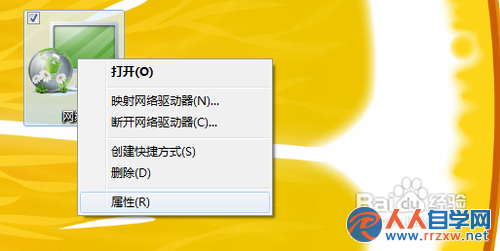
- 桌面 網路 圖示右鍵 → 內容。
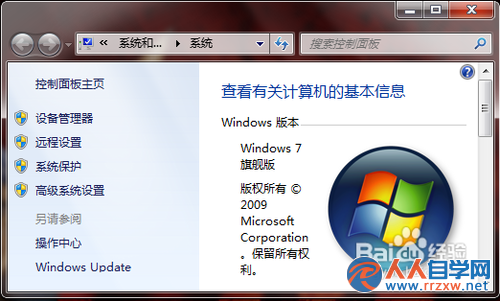
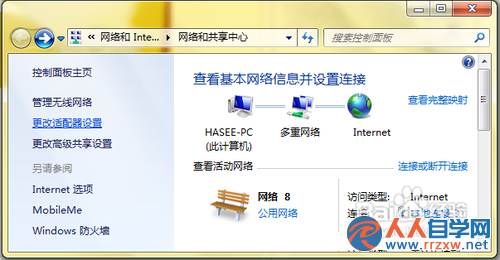
- 左側點選 變更介面卡設定,開啟網路連線。
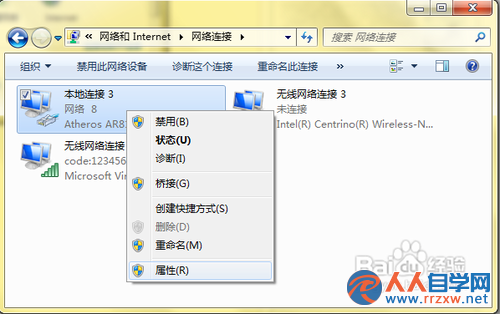
- 區域連線 右鍵 → 內容。
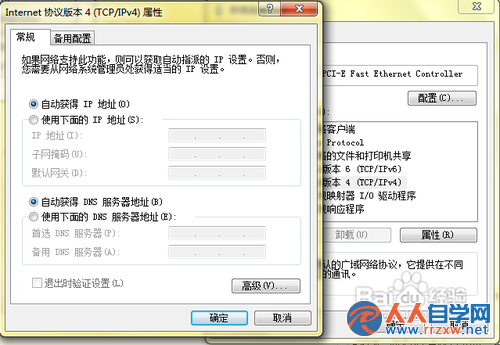
- 雙擊 Internet 通訊協定第 4 版 (TCP/IPv4)。
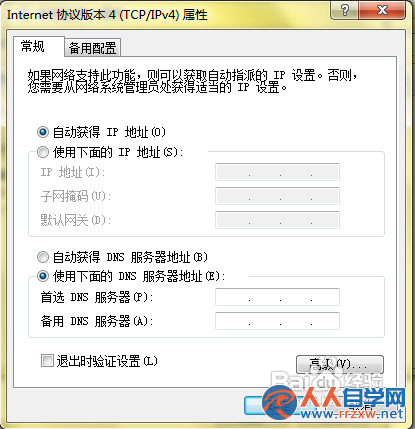
- 勾選 使用下列 DNS 伺服器位址,填入慣用/備用 DNS(如 8.8.8.8 / 8.8.4.4 或中華電信 168.95.1.1),按確定套用。
常用公共 DNS 參考
- Google:
8.8.8.8 / 8.8.4.4
- Cloudflare:
1.1.1.1 / 1.0.0.1
- 中華電信:
168.95.1.1 / 168.95.192.1
XP 系統操作邏輯相同,僅起始點為「網上鄰居」右鍵內容。