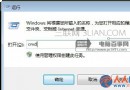
開機出現 「Windows 無法啟動,檔案 \Windows\System32\Config\System 遺失或損毀」,代表系統登錄檔(Registry Hive)損壞。使用 Windows 7 安裝光碟/USB 進入系統修復選項 → 命令提示字元,備份並還原登錄檔即可修復。
C:\Windows\System32\Config\SYSTEM(或 SOFTWARE、SAM、SECURITY、DEFAULT)損壞/遺失。
md C:\Windows\Tmp
copy C:\Windows\System32\Config\SYSTEM C:\Windows\Tmp\SYSTEM.bak
copy C:\Windows\System32\Config\SOFTWARE C:\Windows\Tmp\SOFTWARE.bak
copy C:\Windows\System32\Config\SAM C:\Windows\Tmp\SAM.bak
copy C:\Windows\System32\Config\SECURITY C:\Windows\Tmp\SECURITY.bak
copy C:\Windows\System32\Config\DEFAULT C:\Windows\Tmp\DEFAULT.bak

del C:\Windows\System32\Config\SYSTEM
del C:\Windows\System32\Config\SOFTWARE
del C:\Windows\System32\Config\SAM
del C:\Windows\System32\Config\SECURITY
del C:\Windows\System32\Config\DEFAULT

copy C:\Windows\Repair\SYSTEM C:\Windows\System32\Config\SYSTEM
copy C:\Windows\Repair\SOFTWARE C:\Windows\System32\Config\SOFTWARE
copy C:\Windows\Repair\SAM C:\Windows\System32\Config\SAM
copy C:\Windows\Repair\SECURITY C:\Windows\System32\Config\SECURITY
copy C:\Windows\Repair\DEFAULT C:\Windows\System32\Config\DEFAULT

exitexit 離開,移除安裝媒體,重新開機。在「系統修復選項」直接選擇 「啟動修復」,系統自動掃描並嘗試修復啟動問題(含登錄檔),成功率約 60%,建議優先嘗試。