軟體安裝時明明取消「建立桌面捷徑」,安裝完成後桌面仍冒出捷徑,屬於流氓行為。透過修改登錄檔 NoDesktop 值,可從根源禁止任何程式在桌面建立捷徑,保持桌面整潔。
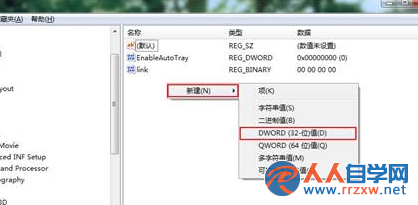
NoDesktop
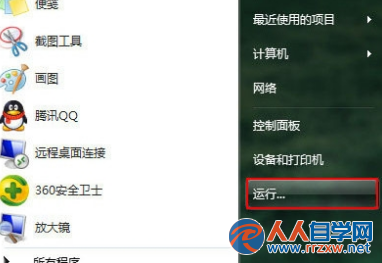
regedit
HKEY_USERS\.DEFAULT\Software\Microsoft\Windows\CurrentVersion\Explorer
重新登入後生效,所有安裝程式將無法在桌面建立捷徑,徹底杜絕強制推廣行為。
Win7 找回「我的電腦」中的攝影機圖示:捷徑置入 Network Shortcuts 資料夾
Win7 開啟虛擬無線網卡,一鍵建立 Wi-Fi 熱點分享上網
Win7 螢幕亮度調整:控制台電源選項與 Win+X 快捷鍵兩大管道
Win7 2GB 記憶體環境下的虛擬記憶體建議設定
Win7 Event Log 服務 4201 錯誤解決:給 SYSTEM 完全控制 RTbackup 資料夾
Win7 如何刪除多餘使用者帳號?本機使用者和群組管理工具快速清理
Win7 如何安裝主題套件?解壓縮執行 EXE → 個人化套用三步驟完成
Win7無法清空回收站?CHKDSK 修復磁碟錯誤徹底解決