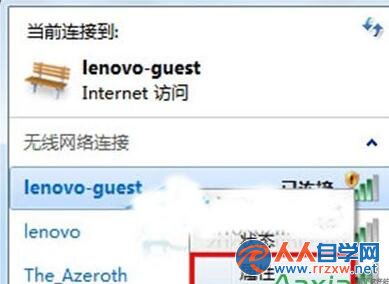
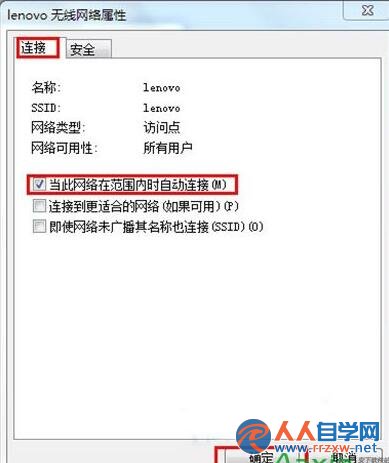
效果: 之後進入該 Wi-Fi 覆蓋範圍不會自動連線,需手動點擊連線,避免誤連不安全/計費熱點,省電又安全。
Windows 7 放大鏡完整使用指南:啟動方式、快捷鍵與進階技巧
防止 Windows 7 記錄搜尋歷史,保護隱私
解決 Win7 與 XP 遠端桌面無法連線:關閉網路層級驗證
Win7 修改 PowerPoint 撤銷次數:在 PowerPoint 選項中自訂「最多可取消操作次數」
Win7 安裝軟體錯誤 1719:啟動 Windows Installer 服務並註冊 msiexec 修復
Win7 程式永以「系統管理員身分執行」三種設定法
Win7 單機同時登入多個 QQ:結束 TXPlatform 進程突破登入限制
Win7 設定 TXT 文字檔為「唯讀」防止被修改:屬性勾選圖文教學